




4.2
Free
Pegasun System Utilities
An all-in-one optimization tool for PCs


Safe & trusted downloads
The best software, verified by experts

A practical tool for system health
CCleaner Premium is a reliable PC optimization tool designed to simplify system upkeep while improving overall performance. From sluggish startups to limited drive space and growing privacy concerns, it offers a comprehensive set of tools that help your computer run cleaner, faster, and more efficiently every day.
CCleaner Premium's strength lies in its simplicity. With an intuitive layout and clearly categorized features, it makes it easy to manage digital clutter, enhance speed, and protect personal data. Even those with minimal technical experience can maintain system health without relying on outside help or wasting time on manual cleanup.
At the core of CCleaner Premium is its ability to clear out the digital clutter that builds up over time. Think of browser caches, temporary files, and old system logs—they may seem harmless, but they can eat up space and slow things down. Especially on older machines or lower-end laptops, this cleanup makes a noticeable difference, helping your computer boot faster, load apps more smoothly, and feel a bit like it did when it was still brand-new.
What also adds value is the built-in registry cleaner. Over time, installing and uninstalling software can leave broken or outdated entries in the registry, which might trigger minor errors or cause slight instability. While it’s not a dramatic change overnight, regular cleanups help reduce the chances of annoying glitches like software freezing or programs taking a few seconds too long to open. It’s a subtle but useful layer of maintenance that pays off in the long run.
To make things even easier, the software lets you schedule automatic cleanups in advance. This means it quietly handles optimization in the background, perfect for users who just want things to work without fuss. The user interface supports this hands-off approach with clearly labeled options and smooth navigation. Plus, if you’re more hands-on, there are advanced controls tucked away—giving you the flexibility to fine-tune performance without overwhelming the experience.
Beyond basic cleanup, CCleaner Premium comes packed with practical extras that make it more than just a tidy-up tool. Take the driver updater, for example. Instead of hunting down updates manually when your printer stops responding or your webcam glitches, this application scans and installs the right drivers for you. For anyone who’s dealt with outdated drivers causing mysterious issues, this feature saves time and frustration, especially on devices that get heavy daily use.
Its privacy features are just as helpful. These days, browsing the web leaves a long trail of cookies, history, and saved form data behind. This tool wipes all that clean and goes a step further by offering identity-masking tools that make it harder for sites to track you. If you regularly shop online, log into banking apps, or share a device at home, these privacy tools run silently in the background and offer peace of mind without slowing you down.
There are extra features you might not use every day, but are great to have when needed. File recovery helps retrieve deleted documents or photos when you accidentally clear a folder. Real-time hardware monitoring also comes in handy if you’re a gamer or remote worker keeping an eye on performance. Still, it’s worth noting that features like driver updates and registry editing should be used cautiously, as incorrect settings could affect system behavior. If you ever run into issues, a round-the-clock technical support via live chat is available to assist.
One of the strong points of CCleaner Premium is that it meets users where they are. To start off, the Free plan offers essential tools like junk file cleanup and browser history removal—practical if you just want to clear out the basics from a personal or backup computer. It’s straightforward, runs smoothly without frequent notifications, and works well for light users who only need to tidy up every now and then.
If you're looking for more proactive support, the Pro plan is a solid next step. It includes real-time system monitoring, driver updates, and scheduled cleanups—all great if your computer is central to your work, school, or creative projects. It saves you the trouble of remembering to run scans or look up drivers. Instead, it handles things quietly, keeping your system smooth and efficient while you focus on more important tasks.
For those managing multiple devices, such as a home office setup or a shared family desktop, the Pro Plus and Premium Bundle plans offer even more flexibility. Pro Plus supports up to three devices, while the Premium Bundle extends coverage to five and unlocks advanced features like file recovery. These tiers make a lot of sense if you're supporting more than one user or just want every device in the house running at its best without juggling separate tools.
All in all, CCleaner Premium stands out as a well-rounded tool to keep your PC clean, responsive, and easier to manage. Its combination of useful clean-up and privacy features, smart automation, and flexible plans makes it a practical pick for both everyday users and those who like a bit more control. While some features need a careful hand, it’s a reliable companion for keeping things running smoothly with minimal effort.
Free
An all-in-one optimization tool for PCs

Trial version
A handy tool for PC care and maintenance

Trial version
Optimize Your System with CA PC Tune-Up

Trial version
Optimize Your PC with PCSuite Booster

Trial version
Use a combo of PC protection and cleanup tools
Trial version
A complete pack of PC maintenance and optimization tools

Goodbye unwanted shortcuts!

Amir Antivirus

Keep Your Computer Virus-Free

All-in-one cybersecurity protection

A quality PC and Mac antivirus and web filter
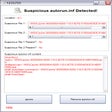
Detect and remove harmful Autorun.inf files

Get Protegent Antivirus, best antivirus software for great computer security

Free Trojan Killer Download For Use With USB

Download Panda Dome Complete for Windows: Advancing Maximized Safeguard

Staying Protected Constantly

A powerful anti-ransomware for extra security

Securing Computers from Hacking