





1
Free
Crystal Security
Staying Protected Constantly


Safe & trusted downloads
The best software, verified by experts

A powerful anti-ransomware for extra security
There are many kinds of malware, and they all have their own way of compromising a user’s security. Ransomware is probably one of the most dangerous of malware because they encrypt a user’s files until the user pays a certain ransom to have them decrypted. Thankfully, SBGuard has a special program specifically meant to provide protection from Ransomware and that is the SBGuard Anti-Ransomware.
Ransomware are usually acquired through downloadable files and email attachments. Once a user’s files have been infected, the malware will encrypt all of the user’s files and prevent them from accessing their files. If a user tries to access them, they will be shown a ransom note detailing the steps they need to take in order to regain access. Usually, these steps involve going to a website and paying for a key using Bitcoin or other cryptocurrencies.
The SBGuard Anti-Ransomware is pretty simple in its features and functions. Once SBGuard Anti-Ransomware is running in the background, any Ransomware that the user might click on will not be able to run and encrypt the user’s files. SBGuard Anti-Ransomware does this by injecting approximately 700 registry entries in order to get the Windows Group Policy to block some certain files from running.
Despite its power against ransomware, SBGuard Anti-Ransomware isn’t an anti-virus. The only thing it can fight against is a ransomware’s ability to execute and encrypt a user’s files. Although it can prevent other malware that has similar infection techniques, it can’t exactly be used to combat other malware with many different approaches to compromising user security.
There is no denying that the SBGuard Anti-Ransomware is very good at what it does. Just by having it running in the background, a user can rest assured that no unwanted applications and malware will be able to infect their system and encrypt their files. However, SBGuard Anti-Ransomware is very limited in its functions. It has a specific use and it’s very good at what it does, but it’s not good for anything else. It might be worth considering if getting a standalone anti-ransomware is better than just getting it bundled in an anti-virus software package.
Free
Staying Protected Constantly

Trial version
Stop Windows 10 tracking once and for all! The app turns off telemetry in a snap and makes sure your privacy remains private
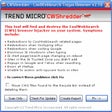
Free
The latest defense against the new Cool Web Search variants

Free
Fully featured anti-ransomware for PC

Free
A Tool that Offers More Protection than an Antivirus

Free
A free program that helps protect against ransomware

A simple yet useful antivirus program

Hitman Pro: Elite Virus Protection on Demand

Comprehensive Protection with ZoneAlarm Free Antivirus

Free Software to Identify Files Requiring an Excess Amount of Hard Drive Space

eScan Internet Security Suite with Cloud Security for Home and Small Office Edition

Ultimate data protection for businesses

Searches for and removes trojans from your system
USB Drive Defender provides 100% antivirus protection against any viruses trying to attack via removable media.

Download Panda Dome Complete for Windows: Advancing Maximized Safeguard

Immunos is a lite anti-virus app.

Manual updates for Avira AntiVir

Antivirus Review - Anvi Smart Defender