




3.4
Free
Screenshot Plus Widget
Efficient Screen Capture Tool for Mac


Safe & trusted downloads
The best software, verified by experts

A Screen Capturing Tool With Features Galore
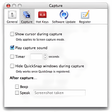
Capture Screen is a tool that helps record your computer’s screen. This easy-to-use tool can capture videos and audios of multiple sizes in high quality. You may set video quality at the time of recording.
As aforementioned, Capture Screen lets you record videos of any size. The audio is recorded with an audio input device or system build-in microphone. You may even use a computer sound card to record audio. The tool lets you document full-screen or a selected portion to video. You get all basic and advanced video control features such as start/stop recording, resume/pause recording, setting recording time, preventing display from sleeping when recording, choosing the path for the video, etc. The tool supports hotkeys too.
Screen recording feature comes in handy in a variety of situations. You may use the utility to make product demonstration videos for software or any other item, prepare video tutorials for college or school class, etc. The tool can also be used to help technical support people understand the problems you have with your computer. Also, you may use Capture Screen to record some fresh techniques and tricks you found out on your software program. Not to mention, the tool works with macOS High Sierra.
Free
Efficient Screen Capture Tool for Mac

Free
Unlock and Jailbreak Your Smartphone

Free
Screen capture made easy

Free
Compact Screen Recorder That Does The Job

Free
A Free Yet Robust Screen Recording Software for Your Mac

Free
Professional tools for every Apple enthusiast

Capture and annotate screenshots
Screen capture made easy
Efficient Screen Capture Tool for Mac

Professional-grade tool for precise screen recording

Capture and save content in a visual hub
The best way to take screenshots on Mac OS X

Manage all of your screenshots

Free screen capture tool with advanced annotation features

Make anything full screen