

4.2
Free
Huji Cam
A taste of the 90s


Safe & trusted downloads
The best software, verified by experts
Things may get a little blurry around here
Blur does exactly what it should do in an easy way - create blurred versions of existing images on your phone that you can save as your wallpaper.
It's one tap to upload a photo, one to crop (slightly annoying that you always have to do this) and a sliding scale to blur the image or change the color scheme. Then it's a short tap to save to your image library or press and hold to set as wallpaper.
Overall, Blur is simple and works well, while the wallpapers look good. What more do you need?
Free
A taste of the 90s
Free
Things may get a little blurry around here

Free
Edit photos and videos creatively
Free
Dazz Cam - Vintage Camera
Free
Candy Camera Makes Cute Photos Every Time

Free
Free Video-Based Social Media Platform for Smartphones
Mobile photo-editing app
The perfect app for photo editors!
Enhance Your Photos with Digital Camera Filter: Cam HD
A free collage maker

Make yourself look a million dollars

Transform Your Photos with Genify

Transform Your Love Story with AI Photos
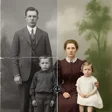
Revive Memories with AI Photo Restore

A free app for Android, by 4th floor apps.

Transform Your Visuals with LumiPix AI
Effortless AI-Powered Selfie Editing

Comprehensive AI Photo Prompt Generator