



4.7
Free
TrustViewer
TrustViewer is a free program for remote access and support in the Internet, sharing files and video calls.


Safe & trusted downloads
The best software, verified by experts
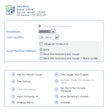
AstroView is the program you use to view a shared computer. Once downloaded unstuff or unzip the program and launch it. You will see one screen with buttons "View", "Diconnect", "Options", and "Statistics" along with a line which shows you if you are currently connected or not. Each of the buttons has an equivalent in the menubar. Statistics shows you the amount of used memory, how much data has been sent and read on the current connection and average connection speeds.
Options lets you set some security features and a slow connection option. Disconnect breaks down the current connection. Start brings up another window which allows you to view and control a shared desktop supplying the IP or DNS address, port number, computer name and password. Also available from the "View" menu is the "Sound Settings..." menuitem which allows you to start Voice over IP and pause the display and use of the remote desktop.
Free
TrustViewer is a free program for remote access and support in the Internet, sharing files and video calls.
Free
Share and modify documents in real time
Trial version
Turn your Android device into a WiFi remote controller for your Windows PC with this beautiful and simple application!

Free
Turn your mobile device into your game controller
Trial version
Remotely help friends and colleagues with their computer and phone problems

Free
A remote solution for your PC
Remote PC and screen-sharing app

CrossLoop: Efficient Remote Control Software
Use a remote controller to control your PC

Complete remote management solution for your network

An IM client to share and control remote desktops
Access and control your home PC from another computer

Intuitive and reliable remote desktop platform
Access Mac or PC remotely from your navigator

Avvenu: A Free Remote Control Software for Windows

Easily manage remote servers and workstations

The next evolution for UltraVNC

Provide friends or customers with tech support via web