




1.8
Free
PC System Tweak
Utility for modifying system settings


Safe & trusted downloads
The best software, verified by experts

Remember the day when you bought your new PC with Windows installed? It was lightning fast. It took only about ten seconds to boot. But, after a year of heavy use, you now realize that your PC has some serious performance issues. There is a simple and effective solution - Arrange Startup software!
A lot of programs are loaded into the memory of your PC at startup, which noticeably lowers its performance. Some of the programs are system ones necessary for normal functioning, and the rest of them can be easily removed from the startup list.
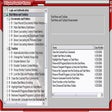
Arrange Startup classifies all of your programs that are executed at Windows startup as system programs, suspicious applications that can be viruses and the programs that are not necessary for startup. It will help you to remove programs from this list or to add them there.
Free
Utility for modifying system settings

Free
Boost your system with a tweak

Trial version
Accelerates. Repairs. Optimizes. Protects.

Paid
Optimal performance with KyrosDev

Trial version
Collection of tool to optimize your system

Complete editor for all types of image files

A performance test for your 3D accelerator card

Preview more image files in Windows XP explorer

CD-ROM Drive control menu

A Free Software utilities program for Windows
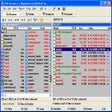
Perform both file renaming and text replacing

Spellchecker for various applications using Word

Keep your Windows Registry in perfect condition

Render through the cloud with Renderwow
Erase files completely

Create virtual drives and save CDs
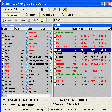
Multi-string search-and-replace utility