




3
Free
Microsoft PowerPoint
Presentation control for clear slide narratives


Safe & trusted downloads
The best software, verified by experts

Create E-Learning Content with Adobe Captivate
Adobe Captivate is a tool desiged for authorising a wide range of E-learning content. From demonstrations and simulations of software to entire E-learning courses, Adobe Captivate has it covered.
E-learning is a vital part of contemporary work, where organisations tend to favour giving employees opportunities to learn as they work. This is where Adobe Captivate comes in: it can be used to create content that makes the learning process easier for everyone involved. The tool can be used to create demonstrations, presentations, self-contained courses and more, based on whatever subject is appropriate.
Adobe Captivate comes with an extensive library of assets that can be used to built E-learning content, and adapted to suit the relevant topic. The tool can also be used to convert PowerPoint presentations into sophisticated E-learning content. In addition to all of this, Captivate includes localisation features that recognise the value of international co-productions in this day and age. While Adobe Captivate will take time for new users to learn, the interface has been heavily reworked since earlier releases to make the process more intuitive for newcomers.
Free
Presentation control for clear slide narratives

Free
Create mind maps with this app

Free
Multimedia conceptual maps

Free
Explain your points quicker and better

Free
Create Simple but Complex Mind Maps with this App

Free
Powerful Clipboard replacement with notepad functions

A Free (GPL) Productivity program for Windows

Low level driver for virtual drive tools

A multi-faceted note-taking tool

Improved Notepad with handy additions
Epubor PDF DRM Removal - Remove DRM protections from PDF files
A Free Productivity program for Windows

Rar Reader - the best archiver Zip / UnZip / UnRAR!

PDF Editor+ - PDF Viewer
Convert PDF files to a variety of text formats
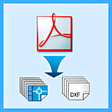
A batch PDF to DWG Converter that allows you to convert PDF to DWG/DXF without the need of AutoCAD.

Project Management the Wrike Way