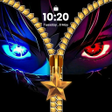
Zipera: Zipper Lock Screen for Android
Zipera: A playful zipper lock for Android personalization
- Free
- 4.2
- V 1.0.6
Zipera: A playful zipper lock for Android personalization
Zipera: Zipper Lock Screen, from Chrono Mobile, replaces Android's usual lock with an interactive zipper that opens to the home screen, giving unlocking a tactile focus. The app centers on animated unzipping and sound to create a playful entry experience while offering theme options and decorative styling. It targets Android personalization fans who want a visually distinct, hands-on alternative to the stock lock and a fresh way to dress their device daily.
How the zipper changes the daily unlock ritual
Zipera turns a mundane swipe into a sensory action by using a simulated sliding motion and accompanying sound effects that play during unlocking, creating a deliberate, satisfying interaction. The app emphasizes the physicality of opening the phone, which users encounter several times a day. Those who value tactile feedback can make unlocking feel like a short, designed moment rather than a simple gate to the home screen.
What Android setup and permissions the app needs
Zipera operates as an overlay that replaces the system lock and therefore asks for permissions such as Display over other apps and Notification access. It is optimized for modern Android versions (typically Android 9.0 and up) and requires permission to manage lock settings so the zipper interface can appear reliably at wake. Expect an initial setup step to grant those accesses.
Who benefits from Zipera's customization depth
Zipera focuses on granular visual control aimed at personalization fans: the app offers a large theme assortment, HD and animated backgrounds, and the ability to upload gallery images. Users can change zipper teeth, pick pendant shapes, and alter row styles to match moods or themes, making it useful for weekend stylists, casual themers, and anyone who treats their lock screen as an aesthetic surface.
Whether it balances decoration with practical protection
Zipera combines decorative unlocking with optional security by supporting a numeric PIN or pattern lock that the device can require after the unzip action, so decoration does not replace privacy. The app's decorative layer sits on top of the system lock pathway and thus depends on correct permission configuration to avoid gaps. For daily reliability, that pairing keeps a visual flourish and a privacy gate together.
To sum up, a style-first lock that suits personalization seekers
Zipera is a visually driven option for Android personalization fans who want an expressive unlock ritual rather than a bare utility screen; early feedback notes smooth animations and high-quality assets that support that aim. One consideration: the app requires overlay and notification permissions during setup. Pro tip, use the app's preview mode to test designs before enabling the zipper as your active lock.
Pros
- Realistic sliding animation with accompanying sound for satisfying unlocking
- Granular zipper customization: teeth, pendant shapes, and row styles
- Supports HD and live wallpapers plus personal gallery images
- Optional PIN and pattern layer to preserve device privacy
Cons
- Requires overlay and notification permissions during initial setup
- Extensive visual options may be complex for casual customizers
Zipera: Zipper Lock Screen for Android
- Free
- 4.2
- V 1.0.6