





4
Paid
X-Plane 12 Global Scenery: Asia
Explore Asia with X-Plane 12 Global Scenery


Safe & trusted downloads
The best software, verified by experts
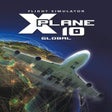
<h2>X-Plane 10 Global: Engineering-grade flight simulation for serious pilots</h2>
X-Plane 10 Global, developed by Laminar Research, is a desktop flight simulator that recreates realistic aircraft behaviour for training, testing, and enthusiast flying. Its central function computes aerodynamic forces per surface, offering an extensive worldwide scenery package and a roster of aircraft from gliders to airliners. The package includes high-resolution terrain and 3D structure data and targets aviation enthusiasts, student pilots, and professionals seeking engineering-grade simulation for analysis and training outcomes.
This simulator sees use beyond hobby flying, cited by aerospace organisations and flight schools for analysis; examples include use by NASA and Cessna. The platform supplies virtual wind tunnel technology for testing custom designs and can be paired with a professional license and hardware for FAA-certifiable training hours. That engineering focus makes the title suitable for experimental aircraft design and serious pilot practice.
The Global edition covers the whole planet but lets users install specific regions to manage disk usage. The app supports a large open architecture with community contributions, including aircraft, airports, and plugins. Typical extensions cover:
Rendering aims for plausible environments by auto-populating roads and structures from real-world data and applying global illumination for lighting. The weather system simulates high-fidelity cloudscapes and ingests real-world METAR reports to match current conditions, and night lighting receives frequent praise in community feedback. These systems produce operational conditions that support procedural training and visual navigation practice.
User reports note a steep learning curve and a complex interface that rewards study rather than casual play. Full installation requires substantial disk space and adequate memory, and the title originally placed heavy demands on contemporary hardware. A large open-source community offsets some setup work by supplying free scenery and aircraft, but newcomers should expect configuration effort before routine flying.
X-Plane is a deliberate choice for users who prioritise analyzable flight behaviour and technical experimentation over instant arcade-style sessions. It rewards players who accept a learning investment and configuration overhead, and it is less suited to someone seeking quick pick-up play. For methodical fliers and development-minded users, it offers a focused, credible desktop simulation environment.
Paid
Explore Asia with X-Plane 12 Global Scenery

Paid
A Simulation Flying Game That’s Very Close to Reality
Paid
Experience Realistic Flight with Aerofly FS 4

Paid
Aerofly RC 10: Realistic Flight Simulation Experience

Paid
Enhance Your Flight Simulation Experience