





3.2
Free
Netstat Viewer
Visualize your preestablished connections


Safe & trusted downloads
The best software, verified by experts

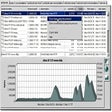
X-NetStat displays information on your current Internet and network connections, much like the console netstat.exe program, but in a graphical interface. These connections are established each time you visit a web page, send an instant message, check your email, or anytime you do network activity that requires you to connect to another computer. They also appear when outside computers attempt to connect to your machine, authorized or not. Each connection is displayed in the Connection Table, where you can see the address you are connected to, what ports (local and remote) are being used, the connection status, how long the connection has been active, the program behind the connection, and how much bandwidth is being used.
X-NetStat Professional contains powerful features like a Rules System that lets you set up actions based on network conditions, a comprehensive Network Statistics window displaying information on network interfaces and protocols, a Web Server that lets you access XNS information remotely, a collection of Lookup Tools (TraceRoute, WHOIS, Finger, DNS, Web Search, etc), and many more features.
Free
Visualize your preestablished connections

Trial version
Comprehensive Networking Tool for Windows

Free
See detailed UDP and TCP endpoints listings

Free
Ultra efficient protocol analyser

Free
View Opened TCP/IP ports and connections

Paid
Robust Data Replication Software for Enterprise-Level Organizations

Detect wireless networks near you
Efficient Resource Management with PaperCut Quota
Complete proxy server for Windows

Free and open-source SSL encryption software for personal computers
Monitor your pages and order forms
Software and hardware inventory of LAN PCs
Adminiter remote PCs in real time
Comprehensive Networking Tool for Windows

Reliable tool for measuring network performance

Browse anonymously
Keeps track of all Facebook friends