


3.4
Trial version
WinLock Professional
Protect your computer in multiple-user situations


Safe & trusted downloads
The best software, verified by experts
Comprehensive security solution for personal or publicly accessible computers.
WinLock is a comprehensive security software for personal or publicly accessible computers running all versions of Windows from 2000 to Windows 8. It is a program that ensures that only authorized people can access sensitive information on your computer.
This security tool allows you to restrict your users from accessing important system resources like Control Panel, desktop, and system registry, disable Windows hotkeys (such as Alt-Ctrl-Del, Alt-Tab, Ctrl-Esc, etc.), block mouse, hide the Start button and taskbar.
With WinLock you can control how long others can use your computer. It runs from the system tray and requires a password to gain access to the available settings.
It loads automatically with Windows and allows you to add an optional startup message, provide audio notification, and set the time limit. Once that limit is reached, Windows is summarily shut down. You can toggle the timer on and off from the tray.
Parental control system lets you activate filters that allow access to websites that are useful for learning and reference only. That's why responsible parents install WinLock on every computer that their children use.
It also lets you deny access to selected files, applications, and Explorer windows (Recycle Bin, My Computer, etc.), usb and hard drives, filter Internet content and prohibit access to questionable websites. When enabled, there is no way around it without the proper password.
Whether you're worried about coworkers going on the network and gaining unauthorized access to your private files, or your kids messing up your work files, WinLock is a software-only solution to your security needs.
Key features:
System restrictions - disable command prompt, desktop, control panel, safe mode, and more...
Time-limited access - control how long your children can use the computer.
Restrict Start Menu - hide the selective Start menu items, block context menus.
Control Internet access - allow access only to the trusted sites only, and block all others.
Software filter - block access to the downloaders, games, or messaging clients.
Kiosk mode - lockdown security for ATMs and terminals.
Installation blocker - prevent users from installing the software.
Logging - monitor changes to the system.
Trial version
Protect your computer in multiple-user situations

Trial version
File and folder encryption software to keep your confidential information safe
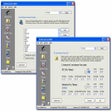
Trial version
The parental control for PC time limits, Internet control, block folders
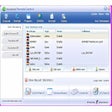
Trial version
Control, restrict and monitor use of your PC
Free
It will encrypt your personal files with AES-256 encryption algorithm which is unbreakable from today's standards!

Free
Block programs that you don't want used on your PC

Scans entire folders while making new rules in the Windows Firewall to block your specified executables.

Protect your privacy with this handy tool
Port Locker - Protect your device from unauthorised access

Facial recognition system to access your Windows user
Hide your screen from the boss
Easily block your PC and protect from unauthorized access

Prevent unauthorized access to your Windows Desktop
Flexible controls for managing children’s digital activities

Block video ads, pop-up ads , web ads and many annoying internet content.Protect user's privacy.
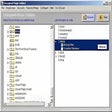
Make any folder you choose invisible to others

Comprehensive Access Control Software for Windows