





1
Free
Compact RAM Cleaner
Clear unnecessary RAM usage


Safe & trusted downloads
The best software, verified by experts
RAM management utility for PC
Windows Memory Cleaner is a free tool for PC made by indie dev Igor Mundstein. This Windows utility helps users manage RAM usage on their computers. More specifically, it can aid in freeing up memory from persistent programs that have already been closed but do not release them.
Windows Memory Cleaner works similarly to RAMExpert or RAMRush in that it helps free up memory resources so that users can use it for other urgent and more intensive programs or games. It comes as a portable utility and features a simple and intuitive user interface.
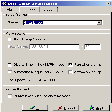
Windows Memory Cleaner features a simple and compact UI that lets you clear your RAM usage right away. The layout is mainly divided into two, namely, Memory Areas and Log. The first lets you choose from six ways to clean up your memory, making it easier to pinpoint memory blocks that the tool will scan and target. While the latter is where you can view the tool's processes as they happen.
To go into more detail, you can choose from any of the six memory sets and lists. The first two comes from your Combined or Modified Page lists. Next up, there Process Working Set which is applicable to all user-mode and system working sets. You also have the option to select both Standby and Standy (Low Priority) lists. Lastly, there's the System Working Set that draws from your system cache.
Additionally, you can add these parameters directly to the program's .exe file via command arguments. Just choose the one you want and add it to the "Target" program path text box. In case you want to reviews the logs, you can do so via Windows' Event Viewer. There is no option to export the logs directly from the utility itself, though, which would have made the whole process much simpler.
There will be times when a program or game just won't release the memory it's using even after you've closed it. In these situations, Windows Memory Cleaner will be a handy tool to have around. It's portable, easy to use, and works as it should. You even have an option where you want your RAM to be cleared in, as well. Worth trying out.
Free
Clear unnecessary RAM usage

Free
Memory optimizer utility for PC

Free
Cached program management tool

Free
A simple app for freeing up computer memory

Free
Cleaner One - Free PC Cleaner & Optimizer by Trend Micro Inc
Free
The exact atomic time on your PC

Printer Driver for HP 5520 Printers
Efficient PDF Printing from Command Line

BrowserOS: An Innovative Open-Source Browser

Essential drivers for AMD motherboards

Install the latest driver for HP deskjet f4288

Install the latest driver for cp1025nw

Efficient Plugin Management with Extism CLI
Elegant CPU Information Fetching Tool

Comprehensive Tool for Hardware Security Modules

Efficient Code Formatting with Dprint

Comprehensive Key Mapping Tool for Dygma Raise