





4
Free
Microsoft Joulemeter
A free program for Windows, by Microsoft.


Safe & trusted downloads
The best software, verified by experts
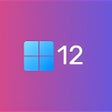
Download Windows 12 for Windows – The next generation of Windows is almost here
Windows 12 is being hyped up as the next big thing from Microsoft for desktop, laptop, and any other device. As the successor to Windows 11, it builds on its predecessor's foundation with a focus on improving user experience and functionality while providing the familiarity of Windows that its users have come to expect. While Windows 11 brought a fresh, modern look, Windows 12 aims to refine and enhance it further. It keeps the sleek design but adds thoughtful tweaks and exciting updates based on user feedback and innovative ideas to integrate new updates like artificial intelligence. Whether you’re a casual user or a professional, this OS seems poised to make everyday computing more seamless and enjoyable for everyone.
One of the major improvements being touted is the revamped desktop interface. Microsoft has gotten plenty of feedback on the overall look of Windows 11, and Windows 12 introduces changes designed to make navigation and multitasking even more intuitive. While details are still limited, the updates sound promising for anyone looking for a smoother, more efficient system.
Windows 12 doesn’t just stop at aesthetics. It’s packed with some noteworthy changes under the hood. One of the most notable developments is the inclusion of a floating taskbar. Rumors suggest that the taskbar will no longer be anchored to the bottom of the screen, creating a modernized look with more customization potential. Additionally, the system tray might make its way to the top of the screen, offering a new approach to managing your system tools and notifications. This is a radical change for those of us who have been around since the Windows 98 days.
Another standout feature is State Separation. This is a game-changer if you’ve ever been frustrated by Windows updates messing with your workflow. State Separation stores the core system files in a dedicated partition, making updates smoother and less likely to disrupt your work. This change addresses one of the long-standing complaints users have had about Windows.
On the tech side, Windows 12 is also leaving behind 32-bit Arm app support. As the tech world increasingly shifts to 64-bit, this move aligns with industry trends and promises better performance and efficiency for modern applications. It’s a forward-thinking change that ensures Windows 12 is ready for the future and can compete with the best operating systems out there.
As you probably guessed, artificial intelligence is stepping into the spotlight – as with any developments in the world of technology. Windows 12 is expected to integrate AI into more areas of the operating system, playing off the initial success of Windows 11's Copilot AI assistant. This artificial intelligence will be used for helping with tasks and anticipating user needs, and the exciting possibilities for AI integration will surely make any experience more dynamic. This will likely be the biggest focus of any marketing campaign, as AI is the hot new item on the market today.
As with any new operating system, compatibility, and system requirements are key considerations. While Microsoft hasn’t released the full details yet, we can expect Windows 12 to follow in the footsteps of Windows 11 with its requirements for modern hardware. This likely means support for TPM 2.0 and Secure Boot, ensuring a secure and optimized experience.
The shift from 32-bit Arm apps also signals a focus on more advanced hardware capabilities. If you’re still using an older machine, it might be time to consider an upgrade to fully take advantage of everything Windows 12 offers.
This is good news for users who have already integrated into the Microsoft ecosystem! Windows 12 will likely play nicely with Microsoft 365, integrating even deeper with Teams, OneDrive, and Outlook apps. Expect seamless syncing of your files, enhanced collaboration tools, and possibly some AI-driven improvements across the board.
Microsoft’s commitment to creating a unified experience across its products means Windows 12 could serve as the perfect companion to your Microsoft 365 subscription. Whether you’re managing work projects or personal tasks, the OS and the suite of applications are expected to work hand-in-hand to simplify your life.
Windows 12 is shaping up to be a fantastic upgrade for anyone who enjoyed Windows 11 or wants a more polished and powerful OS. With its redesigned UI, smarter updates, and deeper AI integration, it feels like Microsoft is addressing user pain points while looking ahead to the future of computing.
If you’re ready for an operating system that combines style, functionality, and innovation, Windows 12 might just be what you’ve been waiting for.
Free
A free program for Windows, by Microsoft.

Free
A free program for Windows, by Microsoft.

Paid
A Windows system designed for professional use
Free
Comprehensive Overview of Microsoft GameInput

Free
Task automation software for desktop

Free
A free app for Windows, by Microsoft Corporation.
Improve your Windows 8.1 with this pack

Free-to-try screencast tool

Ultimate Control for PC Gaming

Free PC Optimizer for Personal and Professional Use

Back up your Android SMS, contacts, photos and videos on your PC
Change/convert RAW drive to FAT32 in minutes

Visualize Disk Space with Space Radar Electron
Print-ready barcodes and QR codes in minutes
Add partitions to the Windows NT/2K/XP Multiboot menu

Efficient Messaging with Web Telegram for Windows

Install the latest driver for HP deskjet 9600
Secure Cloud Backup and Sync Tool