
4.1
Free
Lively Wallpaper
Bring life to your screen display


Safe & trusted downloads
The best software, verified by experts
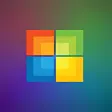
Flowy art on your PC screen
Windows 11 Wallpapers is a free set of desktop wallpapers that you can use to customize your workspace in the Windows 11 operating system. Developed by Microsoft, this personalization package comes with the OS by default and will only work on it— although it’s possible to download these and still use them on other OS.
Unlike the default wallpapers of Windows 10, the designs here lean more on the abstract side rather than the classic Windows nature themes—with appealing shapes and color schemes that vary in vibrancy. This package includes wallpapers, lock screens, and backgrounds for the touch keyboard.
Windows 11 is a major release of the Microsoft Windows NT operating system and is the version after Windows 10. Compared to it, this release brings in a more refined interface look and various optimizations to existing features—such as new animations and gestures, app integrations, and support for virtual desktops. With the new UI makeover comes new wallpapers, as well, and the selection here fits the new interface appearance.
For one, the default wallpaper comes with both light and dark versions so you can easily switch to Dark Mode for your theme. Some of the wallpapers include a set of four colorful lunar-inspired orbs with neon gradient lighting. Some are simply the default wallpaper in different colors. Others look like motion-captured wallpapers with one color scheme—differing in the texture of the subject as it moves.
There’s also a set of nature landscape images comprised of sunrises over snow-capped lands and lakes. However, one of the most awaited features here is the option to set a background image on the touch keyboard and even change colors for multiple elements on its UI. This is because you could only customize the accent color and light or dark mode of the keyboard on Windows 10.
All in all, Windows 11 Wallpapers is one of the good things that you can find in the Windows 11 OS. While you can’t install these lovely wallpapers on other Windows versions before it, it’s still the right set of backgrounds to highlight the new user interface layout here. It visibly pulls away from the nature themes of past versions and competes with other operating systems now on abstract art.
Bring life to your screen display

A Free Desktop customization program for Windows

Get the Rockstar video game hit as a wallpaper

Customize your desktop with GTA 5 wallpapers

Bring your desktop to life with interactive mascots
Free
Bring life to your screen display

Free
A free customization tool for Windows

Free
Easily transfer files to your Samsung device

Trial version
Slick replacement for your taskbar

Free
Run Android on your PC

Free
Taskbar personalization utility for Windows

A free app for Windows, by PcSoftware.

Superman Returns 1024

Oceanis Desktop Wallpaper: Windows 7 Netbook Wallpaper Changer
Automatically change your desktop background wallpaper

Bing Wallpaper Download - Change Your Desktop Wallpaper in Seconds
User-friendly software to select backgrounds for desktop computers

Enhance Your Desktop with Medal of Honor Wallpaper

Happy Feet 2 Desktop Wallpaper

Enhance Your Desktop with Windows 8 Wallpaper

Puss in Boots Wallpaper

Mirror Mirror Wallpaper: Hollywood Snow White Adaptation
Naruto Shippuden Logon Screen