
5
Free
Android Messages For Web
Check Your Android Messages On Your Computer


Safe & trusted downloads
The best software, verified by experts

How to Easily Search on Wikipedia
Do you ever get lost when browsing the internet? With this extension you can get the content you’re looking for, no matter how difficult it is to find.
You can search Wikipedia by typing 'wiki' in your web browser’s address bar and a space. It searches all the sites it supports, whether that is the English version of Wikipedia, the German version, or any of the other 300+ languages supported by Wikipedia.
All the results you see are highlighted, as well as suggestions you can use to refine your search. You can even add a word or phrase to the search, and when you type in that phrase, it will appear in the results you see.
You can highlight words or phrases, and then you’ll see an option in the context menu to search on Wikipedia.

Explore a fun plug-in

Desktop video editing made accessible and efficient

A free app for Chrome, by Zoomcorder.com.

Efficient HTTP Header Management with Netmirror Extension

A quick scraper for browser-based data collection

Crop It! - How to Save a Screenshot to a File

Dooozen.io Chrome Extension - How to Grow Your Business on LinkedIn

Get All The Links! - A Convenient Link Display Extension for Chrome

Cardápio UFSCar: A Convenient Chrome Extension for Daily Menus

Diluc Genshin Impact Wallpaper & Theme - New Tab Extension For Chrome
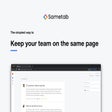
Sametab - Send Company-Wide Announcements in a New Tab

New Tab Direct - City

Open DevTools tab quicker...

One-click Image-Subbuzz

Generate Unique Random Numbers

Stream Defense Controller: A Convenient Twitch.tv Stream Defense Game Overlay

Automate Data Entry Tasks with Smart Paste