




4.9
Free
Widget Vault Smart Widgets
Transform Your Home Screen with Widget Vault


Safe & trusted downloads
The best software, verified by experts
<h2>All-in-one Android app for home screen themes</h2>
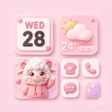
WidgetKit: Themes & Icons from Lamma Tech is an Android personalization app that remakes home screens with coordinated visuals and functional widgets. The app supplies widget types, icon packs, and HD wallpapers users can apply and mix to change app shortcuts and panels. It bundles pre-configured theme sets alongside editable photo and utility widgets for consistent layouts. Android owners who enjoy styled, organized home screens gain an integrated tool that guides placement without requiring advanced technical knowledge.
WidgetKit groups visual and functional elements so users apply a unified look from a single interface. The app includes widget varieties (digital and analog clocks, calendars, battery, weather), an icon changer, HD wallpapers, photo widgets, and pre-configured theme sets.
Users can edit placed widgets after adding them: several widgets allow color, font, and background adjustments. Theme sets are available for one-click application, while individual icon packs and photo widgets let users compose bespoke layouts. The app supports icon changes for the vast majority of popular third-party and system applications, enabling selective replacement or curated collections.
Resource use rises with higher-resolution content and active widgets; the app is optimized for modern Android versions to support advanced widget functionality. Expect the smoother experience on recent hardware. Devices that are older or have constrained memory may register higher CPU or battery use when many animated or high-resolution elements are active.
The app walks users through placement using an in-app selection and the Android system prompt to place widgets and shortcuts. Adding a customized icon creates a home screen shortcut while the original app stays installed and unchanged in the app drawer. The guided flow reduces manual steps for users who prefer step-by-step placement over launcher-level configuration.
WidgetKit is a practical option for Android users who prefer ready-made, coordinated home screen styling and who accept doing layout work within a single app. A notable consideration: some premium themes and assets require in-app purchases or viewing advertisements, which affects straightforward access to every design. Tip: confirm theme availability before investing time in an elaborate layout to avoid redoing panels.
Free
Transform Your Home Screen with Widget Vault
Free
Transform Your Home Screen with Color Widgets
Free
Transform Your Android Home Screen with Smart Widgets Pro

Free
Personalize Your Device with Colorful Widget

Free
Minimalist Widget Pack for Android Homescreens
Free
A free program for Android, by BlueSkySoft.