
4.4
Free
Kinemaster for Pc - Download For Windows/Mac
Desktop video editing made accessible and efficient


Safe & trusted downloads
The best software, verified by experts
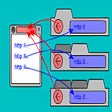
Whose Your Daddy - A Helpful Add-On for Chrome
The Whose Your Daddy add-on for Chrome makes it easy to see where a link is coming from and what is the originating website. This tool is very simple and does not require any configuration. The only thing you need to do is to add this extension to your Chrome browser.
Once you install it, you will be able to see where a website is coming from when you open a link in a new tab. If you need to go back, just press the Back button one more time.
It is useful to add a site to your bookmarks, and then later you will never forget where you were browsing. This add-on is ideal for checking where your current tab is coming from, and never forget the original launching website again.
This extension is useful for those who want to find out the origin of a link in a new tab, but cannot remember where they were.

Explore a fun plug-in
Desktop video editing made accessible and efficient

Efficient HTTP Header Management with Netmirror Extension

A free app for Chrome, by Zoomcorder.com.

Epson L380 printer troubleshooter

AWS Extend Switch Roles - The New Tab Extension For Chrome

Refresh Your Reloads List with the Relay Autobooker and Autorefresher

Reader Mode for Chrome

Enhance Your Interview Skills with AI Assistance

AI-Powered Grader for Canvas Enhances Student Performance
Transly: Smart Translation Tool for Chrome

Image Downloader - How to Download Pictures From Websites

Efficient Grade Tracking for Coursera Users

Kundelik Helper: Streamline Your Calculations

Mindfulness Extension for Chrome Users

Video & Screen Recorder for Work - Drift for Chrome From Drift Video

Sound Booster - Improve Your Device's Sounds