

whatsign.in for Chrome
whatsign.in: Remember Your Social Authenticator for Websites
- Free
- 4.9
- V 0.0.0.1
whatsign.in: Remember Your Social Authenticator for Websites
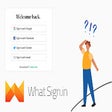
whatsign.in is a free Chrome add-on developed by diogo.redin that aims to solve the problem of forgetting which social authenticator was used when logging into websites. This add-on keeps track of the social authenticator chosen during the first login and provides a convenient way to remember it for future visits.
The way it works is simple. When you visit a website and log in using a social authenticator such as Facebook, Twitter, or Google, whatsign.in registers the chosen authenticator. The next time you visit the same website, you can simply click on the extension and it will display the social authenticator you used before.
One useful feature of whatsign.in is the ability to "Forget" your chosen social authenticator. This allows you to choose a different one for the website, and the extension will register the new choice.
This add-on is a time-saver for those who frequently use social authenticators for website logins. It eliminates the need to create multiple accounts for the same website when forgetting which authenticator was previously used.
Please note that whatsign.in may not work on every website, as login buttons can be coded in various ways. However, the developers estimate that it works on approximately 90% of cases. If you encounter a website where it doesn't work, you can report it to the developers to help improve their algorithm.
Your data is stored locally on your computer using Local Storage, so there is no need to worry about your information being accessed elsewhere.
whatsign.in offers a 30-day money back guarantee with no questions asked, although there may be processing fees for refunds.
In the future, the developers plan to add manual addition of preferences, allowing users to save their preferences when the algorithm can't detect them. They are also exploring the use of machine learning methods to improve the algorithm's ability to detect login buttons in their various coding styles.
whatsign.in for Chrome
- Free
- 4.9
- V 0.0.0.1
Top downloads

Winning Eleven 2012 APK Download v1.0.1
Explore a fun plug-in

Kinemaster for Pc - Download For Windows/Mac
Desktop video editing made accessible and efficient

ZED: Zoom Easy Downloader
A free app for Chrome, by Zoomcorder.com.

Netmirror Extension
Efficient HTTP Header Management with Netmirror Extension

Instant Data Scraper
A quick scraper for browser-based data collection
Discover more programs
Voice Control for Netflix
- 4.8
- Free
Voice Control for Netflix

Mark
- 4.9
- Free
Annotation Tool for Chrome: Mark

Тюбик Свободы - Youtube без ограничений
- 4.6
- Free
Тюбик Свободы: Enhanced YouTube Experience

Beautify Paul Graham
- 4.8
- Free
Beautify Paul Graham

Local LLM Helper
- 4.8
- Free
Local LLM Helper: Your AI Assistant in Chrome

Scroll to Roots
- 4.5
- Free
Efficient YouTube Exploration with Scroll to Roots

Tabby Word
- 4.6
- Free
Tabby Word - A Fun English Word Puzzle for Chrome

Salah - Prayer Reminder
- 4.5
- Free
A free app for Chrome, by Daniel Szakacs.

Ascend QuickAdd
- 4.7
- Free
Ascend QuickAdd: Simplify Your Job Hunt

The Pandemic Word Swapper
- 4.6
- Free
Transform Pandemic Language with Word Swapper

Image Info on Hover
- 4.5
- Free
Image Info on Hover: Display Information about an Image

Quick Note Tab
- 4.3
- Free
Efficient Note-Taking with Quick Note Tab