


WFDownloader App for Mac
A handy batch file downloader
- Free
- 5(1)
- 460
- V beta
A handy batch file downloader
WFDownloader App is a free download manager developed by WFDownloader. It is a smart file downloader utility that can be used to process downloads in bulk. It supports various file formats and multiple sites, and can even recognize links and URLs that are derived from external sources.
Similar to uTorrent, WFDownloader makes it easy for anyone to grab files off the web using a simple and intuitive user interface. What makes it a little different is that it can directly download from the source websites themselves, bypassing site redirections and any possible slowdowns.
Grab files in one go
In a nutshell, WFDownloader is a file downloader program that can do multiple downloads in batches. It supports virtually all file types and formats on the web, as well as a variety of site sources. This level of flexibility allows you to create custom download folders so you can group downloads together—this will come in handy in various situations depending on your needs and priorities.
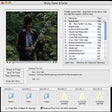
Getting started with this downloader is easy. You can add a link to a specific file like usual, or create a batch wherein you can add multiple ones from different sources. There's a navigation pane on the left to help manage them all. You can also configure settings like the save directory, proxy servers, and whether you want downloads to be done one at a time or simultaneously.
What's more, there's an option to add a batch download with predetermined patterns for file names or to fetch links available from a specific website. They are nice extra features that advanced users can take advantage of as they wish. Newcomers might experience a slight learning curve at the beginning, though, but it will not take them long to get familiarized and enjoy using these functions themselves.
A must-have
If you're the type of user who handles and downloads files a lot, the WFDownloader App will come in handy for you. It's easy to use, supports batch download, and offers plenty of customization options and advanced features to take advantage of. Best of all, it is completely free to use. A slight learning curve for beginners can be experienced though. Still, it’s highly recommended.
Pros
- Intuitive to use
- Group downloads into specific batches
- Plenty of customization options
Cons
- Slight learning curve for some
Also available in other platforms
WFDownloader App for Mac
- Free
- 5(1)
- 460
- V beta
Top downloads





Discover more programs

Download Accelerator Plus
- 2.8
- Paid
A popular download manager
Web Devil
- 5
- Trial version
Download and view web sites offline

Speed Download
- 3.6
- Trial version
One of the most powerful download managers for Mac

DeepVacuum
- 3.5
- Free
A download utility for your Mac

Tucan Manager
- 3.8
- Free
Efficient Download Management for Mac Users

Download Queue
- 0.5
- Trial version
Schedule and run downloads automatically

youSENDit Express
- 2.6
- Free
Free File Sharing Software for Professionals

Download Shuttle
- 4
- Free
A free app for Mac, by FIPLAB.

SiteCrawler
- 2.1
- Trial version
Capture entire websites

Web Snapper
- 5
- Trial version
A Trial version Internet program for Mac

Pathway
- 3
- Paid
Pathway: Pulp-era Tactical RPG with Turn-Based Squad Combat and Roguelite Progression