


4
Trial version
CoffeeCup VisualSite Designer
Easy way to create your website


Safe & trusted downloads
The best software, verified by experts

Delivers streamlined web design
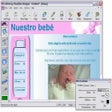
Website Builder 4 is a free, user-friendly web development tool that lets users create websites without complex content management systems. Its emphasis on simplicity and desktop-based workflow makes it ideal for educational projects, personal sites, or file sharing, giving users full control while minimizing unnecessary software overhead.
For users wanting a flexible and intuitive experience, Website Builder 4 provides diverse templates and customization options suitable for small business pages or educational portfolios. The program’s offline capability allows uninterrupted work, and exporting or sharing the final site is straightforward, making it practical for learners, hobbyists, and professionals alike.
It excels with a clear and well-structured interface, making navigation straightforward even for beginners. Its drag-and-drop functionality streamlines page creation, while the extensive template library provides varied design options for multiple industries. However, more experienced users may find advanced customization somewhat limited compared to professional-grade software, which can restrict the creation of highly intricate or unique designs for developers seeking complete control.
In terms of performance, this app is stable, responsive, and handles website previews in real time, ensuring users can see changes immediately. Its offline functionality is especially valuable for those with unreliable internet access, allowing uninterrupted site creation and smooth HTML file exports. However, the program occasionally requires updates to maintain template compatibility with evolving web standards, which can slightly disrupt workflow for users relying on older designs.
Collaboration and file sharing are straightforward with Website Builder 4, as exported sites can easily be hosted or distributed to clients and students. The program also includes built-in tools for basic SEO and analytics integration, which is useful for learners and small business users. Nevertheless, more advanced users may notice the lack of certain developer-centric features, which can limit professional-grade implementations.
Website Builder 4 combines accessibility, consistent performance, and robust offline capability to offer an efficient website creation solution. Its intuitive interface and diverse template library make it ideal for both beginners and casual users, while the program’s export and sharing features help streamline workflow and collaboration. Overall, it stands out as a reliable, practical, and user-friendly choice for anyone seeking a straightforward and efficient web builder.
Trial version
Easy way to create your website

Trial version
Easy web site creation with built-in image management and FTP

Trial version
The easiest way to create your website

Free
Create a vertical navigation bar for your web site

Free software for developers

A modern text editor for developers

Create rich JavaScript code with ease

A free software project management and comprehension tool

Excellent offline software to create and test software code

Build complete sites using the latest web technologies

Test web sites, web servers and intranet applications

A trial version program for Windows, by ebase-technology-ltd.

An App to Make Sure You’re Not Affected by the Cloudbleed Bug

Free Web Development Software for Windows

CMS and website builder for web designers