
3.3
Trial version
Automatic Wallpaper Changer
Automatic Wallpaper Changer Review


Safe & trusted downloads
The best software, verified by experts
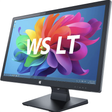
Automated wallpaper slideshow for Windows desktops
Wallpaper Slideshow LT from gPhotoShow.com is a freeware slideshow utility that automates desktop background rotation for Windows users. The app cycles images at user-defined intervals, supports random or sequential play, and uses bicubic image resizing to fit varied screen resolutions while preserving photo orientation. It handles unlimited images across folders, offers multi-monitor assignment and system tray access. The tool suits Windows desktop users who want a low-maintenance way to display personal photo collections.
The app replaces a static wallpaper with an automated slideshow drawn from local photo folders. It supports common image formats, including:
Control covers sequencing, timing and how images fit the screen. Users set time intervals, choose random or sequential display modes, and point the app at unlimited folders and subfolders. Built-in bicubic filters resize images for different resolutions, and EXIF tag awareness ensures photos rotate to their recorded orientation instead of appearing sideways.
The tool is designed to run with a very small resource footprint while staying available in the tray. The developer describes it as having extremely low system resource consumption, and the program places a tray icon for quick manual changes without opening the main window. That background presence keeps the slideshow active without a heavy persistent process.
Setup is straightforward for users who manage local photo libraries, and multi-monitor behaviour is explicit. The app assigns different wallpapers per monitor or spans a single image across screens. Unicode filename handling reduces configuration errors with non-Latin text, and a simple interface exposes folder selection, per-monitor choices and icon-hiding without deep technical steps. Supported platform range covers recent Windows releases.
Wallpaper Slideshow LT is a practical choice for desktop users who value automated, low-overhead wallpaper rotation and simple daily use, backed by a developer experienced in personalization utilities. For a smoother routine, enable the option that changes wallpaper at Windows startup and keep a small, curated folder of images so each session shows only preferred photos.

Bring life to your screen display

A Free Desktop customization program for Windows

Get the Rockstar video game hit as a wallpaper

Customize your desktop with GTA 5 wallpapers

Bring your desktop to life with interactive mascots
Trial version
Automatic Wallpaper Changer Review
Free
Keep your desktop interesting with Flickr

Free
Have a different wallpaper everyday
Free
Customize your desktop wallpaper automatically
Free
Change your background wallpapers with ease

Free
Change Windows Explorer interface for something different
Automatic new wallpaper and screensaver images every day

Bring magic and mystery to you PC with The Chronicles Of Narnia

Free App for Armchair Travellers

Roger Federer in Australian Open Wallpaper

Justine Henin Wallpaper

iCat Wallpaper Overview

Los Mercenarios Wallpaper Software for Windows

Relive an Iconic Version of Spider-man on Your Desktop

Kuantum Wallpaper App for Windows
I Fade Away Wallpaper

Rafa Nadal Wallpaper Program

Happy Feet 2 Desktop Wallpaper