





4.2
Free
Projector Remote Control
Projector Remote Control: Simplify Your Presentation Setup


Safe & trusted downloads
The best software, verified by experts
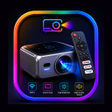
<h2>Wall Projector App for Android: wireless mirroring and projector control</h2>
Wall Projector App for Android from Appex Studios connects Android phones and tablets to compatible external projectors for larger-screen viewing and presentation delivery. The app provides wireless screen mirroring and media casting so users can show mobile content on a projector in real time. Its feature set highlights casting of media and document support plus remote projector controls, making it relevant to professionals, educators, and home users who need a portable projection workflow.
The app functions as a wireless bridge between an Android device and a compatible external projector, offering real-time screen mirroring and media casting. Supported media types include videos, photos and office documents, and the tool provides full-screen mirroring of the phone display. It also exposes remote projector controls so users can change settings from the handset rather than manipulating the projector's physical buttons.
Appex Studios describes the tool with a lightweight design for stable performance, which targets minimal resource load on Android devices during projection. That design intent suggests the app can run through extended presentations or movie playback without heavy device strain. Users should still monitor device temperature and background apps when streaming long sessions, since the app depends on continuous wireless transmission to the projector.
The app communicates wirelessly with external projector hardware and therefore requires that the projector supports wireless connectivity; it does not turn the phone into a light-emitting projector. The developer maintains several projector-related utilities, which indicates focused experience in this interaction model. Note that the app may include advertisements, which can interrupt the interface and should be considered when using the tool in professional settings.
The design emphasizes a quick setup flow and an Android-optimized interface, so professionals, teachers and home users can operate it without advanced skills. For presentations or classroom use, a brief trial run is advisable to confirm projector compatibility and remote control behavior. The app has a modest but growing presence on the app store, with a reported user base of over 500 downloads, which places it in the niche utility category rather than a widely adopted platform.
The app is a practical option for professionals and educators who need portable wireless mirroring and handset-based projector control; its main trade-offs are dependence on compatible projector hardware and the presence of in-app advertisements. Before any critical presentation, test projector control features and mute phone notifications to avoid interruptions. Recommended.
Free
Projector Remote Control: Simplify Your Presentation Setup
Free
A free app for Android, by Winner Wave Co.Ltd..

Free
Perfect Mantra Training App Review

Free
Efficient Presentation Tool for Android Users
Free
Efficient Presentation Tool for Public Speakers