
3.7
Free
Time Adjuster
Synchronize subtitles with video


Safe & trusted downloads
The best software, verified by experts
Say goodbye to wrong subs
Subtitles are essential when watching foreign films but don’t you just hate it when they get some of the words wrong? VobSub is here to improve your movie experience by giving you the chance to edit and correct video subtitles easily.
VobSub is a very useful plug-in for video processing programs like VirtualDub. It is able to grab subtitle files from other media like DVDs and videos so you can edit them later on. The plug-in is able to read many different subtitle file formats like SRT, IDX, and SUB. All you need to do is to open the subtitle file using the program. You will then see a complete transcript of the subtitles that are listed according to when it will appear on the video. This way, you can accurately change the texts. To make things better, you can also customize your subtitles by changing their font style and color.

The all-in-one solution for media playback

A free high-quality video downloading platform

Download Adobe Premiere Pro for Windows – Professional Video Editing at Your Fingertips

A very powerful and versatile free file converter.

The industry standard for professional motion design
Free
Synchronize subtitles with video

Free
A beginner-friendly subtitle editor

Free
SRT to SSA Converter - Convert subtitles for free with minimum effort!
Free
Batch VTT to SRT converter
Free
Unlimited video editing
Free
Automatically synchronize subtitles with video tracks

Convert 4K videos to 1080p, 720p HD and SD video for playing on more devices.
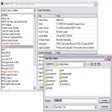
Check out what codecs you have installed

Convert your video and audio files to various formats

Awesome free video converter

Multi-format video converter for PC

Convert WMV To MPG, MOV, MP4, AVI, or FLV

A Free (GPL) Home & hobby program for Windows
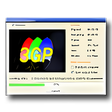
Video converter with mobile phone formats
Find subtitles for your movies with this searcher

Decrypt DVDs to MP3,MPEG2,DivX,XviD formats.
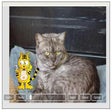
Photo visualizer with useful editing and retouching features

Encode your DVD, DVB, VOB, MPEG or AVI into DVD, SVCD or VCD