
4.8
Free
BdayReel: Birthday Video Maker
BdayReel: Birthday Video Maker


Safe & trusted downloads
The best software, verified by experts
<h2>AI photo enhancer and instant slideshow creator for social media</h2>
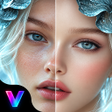
VidNova AI Photo & Video Maker, from TF Incredible Apps, is an Android tool that helps users transform photos into enhanced images and shareable short videos. It uses AI to upscale image resolution and to generate slideshow-style videos with transitions, templates, and export-ready formats. The main interface emphasizes one-tap enhancement and automated video assembly, letting casual photographers and social creators produce polished posts quickly without professional editing skills. It supports high-definition exports tailored for Instagram Reels and TikTok sharing.
VidNova automates creative steps so users can upgrade photos and turn stills into moving sequences. The app pairs an AI photo enhancer that improves resolution, lighting, and detail with a photo-to-video workflow that applies transitions and templates automatically. This combination shortens the time from capture to shareable clip, making experimental edits possible on a single device without a desktop editor.
High-definition exports are supported, and the app includes direct sharing options aimed at short-form platforms. Exported media is prepared for social upload and the interface lists common destinations for quick posting. Typical sharing targets include:
The app offers export presets and aspect-ratio templates aligned to platform norms. This makes finishing and publishing clips immediate from a single Android device.
The interface is built around one-tap enhancement and automated templates, so the app favors immediate results over manual fine-tuning. That design makes it accessible to social creators and amateur photographers who need fast turnaround. Because AI video generation uses user-provided media, creators should attend to content provenance and attribution when publishing stylized outputs; responsible sourcing of images reduces the risk of misattribution.
The app is a practical option for social creators who need rapid, mobile-first editing and ready-to-share clips; it is part of the developer's portfolio and receives regular updates. Although automated workflows reduce the need for technical skill, users seeking deep manual control should consider desktop editors. Recommended for short-form production and everyday visual storytelling on mobile devices and social publishing.

A powerful free tool for video professionals

AI-powered photo editing software

Advanced camera controls for mobile photography

Trendy presets for editing photos and videos

AI-powered enhancements and flawless retouching
Free
BdayReel: Birthday Video Maker

Free
Make music-driven photo videos quickly on Android with VidzLab

Free
A free program for Android, by dreamApps.

Free
A free app for Android, by White Devils Apps.