
4
Trial version
Video Watermark Remove
Remove watermarks with ease


Safe & trusted downloads
The best software, verified by experts

A lightweight tool for basic video watermark removal
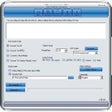
Video Watermark Remover by 4dots Software offers a focused way to eliminate unwanted elements from videos, including logos, timestamps, or subtitles. The app uses manual input to define the watermark’s area and timing, applying blur or mosaic effects to mask it. Designed for simplicity, the tool works best for users dealing with static overlays in familiar formats like MP4, AVI, and MOV.
With its clear interface and straightforward controls, the software supports drag-and-drop importing, coordinate-based positioning, and even batch watermark removal across different videos or time ranges. However, users looking for advanced editing options or AI-based detection may find the tool too limited for more complex needs.
The removal process centers on selecting the watermark’s start and end time, then defining its position and size on the video. Users can choose from Delogo, Gaussian Blur, or Mosaic methods, each offering different degrees of masking and visual softness. This flexibility helps retain basic video quality while hiding the watermark as cleanly as possible—especially on static backgrounds, video corners, or lower thirds commonly used in watermarked content.
The app supports standard video formats and handles most watermark types as long as they remain in one place. There's also support for removing multiple instances of watermarks in a single file, including repeated timestamps or persistent logos. However, it struggles with transparent overlays or animated watermarks, which can leave behind visual artifacts depending on the complexity of the scene.
While the program claims to support batch processing, it’s best suited for simple workloads with few variations. There are no timeline previews or AI suggestions; everything is done manually. It also lacks features like undo, file compression, or format conversion, focusing instead on pure removal. Still, for quick edits or old clips, it provides a reliable offline solution with minimal setup.
Video Watermark Remover gets the job done for users needing quick, no-frills watermark removal. Its success depends heavily on the watermark’s location and complexity, but for static overlays, it delivers a solid result. Those handling more advanced video work may want additional tools, but as a lightweight utility, it offers just enough for casual use.

The all-in-one solution for media playback

A free high-quality video downloading platform

Download Adobe Premiere Pro for Windows – Professional Video Editing at Your Fingertips

A very powerful and versatile free file converter.

The industry standard for professional motion design
Trial version
Remove watermarks with ease

Trial version
Free software to remove logos and watermarks within videos

Trial version
Clean up images quickly with Remove Watermark Pro

Free
Free Software for Designers

Trial version
The Magical Ability To Remove Logos From Videos

Trial version
Watermark remover tool for PC

Cool Tool for DVD Users

Powerful DVD/Blu-ray emulator with 18 drives.

Easily record and convert live videos

Convert various video formats fast and easily

Comprehensive Overview of SoundTaxi Pro+Video Rip

rip DVD to the most popular audio formats including MP3, WMA, WAV, OGG, AAC, AC3, AIFF, AU, FLAC
Convert AVI, ASF, WMV, MPEG, Extract Video from Images

convert PS3/PSP, PSP-MP4, and PSP-movie in all formats

Edit and create your own short films

Efficient Video Splitting Tool for Windows

Convert audio and video for iPhone, Zune, and all popular file formats.

Dynamic Video Mixing Software for DJs