




4.1
Free
Screen Mirroring with TV : Play Video on TV
Effortless Screen Mirroring for Android Devices


Safe & trusted downloads
The best software, verified by experts
Mobile screen-sharing utility app
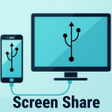
USB Screen Share - Phone to TV is a free utility application for mobile devices from developer Battery Stats Saver. It's a tool that allows users to mirror their device screen to a TV wirelessly or using a USB cable. It boasts a simple user interface and easy operation straight out of the box.
Similar in concept to apps like CastPlay or FastCast, USB Screen Share - Phone to TV utilizes the popular standard Miracast protocol to establish a connection between devices and displays seamlessly. What makes it stand out is that it can achieve a similar result through a USB connection, removing the need for an internet connection.
There are essentially two ways to use the USB Screen Share app. The first is wirelessly connecting to a smart TV or monitor using the Miracast protocol. It supports a wide variety of models from different brands. The other is by using a USB cable to connect your phone or tablet to an external display. Once established, your screen will be mirrored onto the large screen right away.
From there, you can enjoy the benefits of a large screen to open documents or consume media like watching movies and TV shows. You can even use it while playing games or taking video calls. If you're on a USB connection and if it's supported, you can even charge your device while mirroring so you don't run out of power, as well as access your internal storage to manage your files.
Dive into the settings menu and you’ll find that this mirroring app also provides various customization options like changing your screen resolution or aspect ratio to optimize your viewing experience. Now, if you're planning on connecting your device through a USB cable, just make sure it supports display or video output. Otherwise, this particular function will not work for you. Check this first before diving in.
All in all, if you're looking for a way to mirror your screen to a large monitor or TV, USB Screen Share - Phone to TV is a solid choice worth considering. It's easy to set up and lets you pick between wireless or wired connections. It also has customization options. Just make sure your device supports the latter, and you're good to go. Recommended.
Free
Effortless Screen Mirroring for Android Devices
Free
A free app for Android, by WorkerBee App.
Free
Effortless Screen Mirroring for Android Devices
Free
Cast your media files from phone to TV

Free
A free app for Android, by Apowersoft.
Free
A free app for Android, by TOPEDGE TECH.
Enhance Your Gaming with Nezhub GFX
Ayushman Bharat PM-JAY: Official Mobile Application for Health Coverage

Manipulate your location effortlessly
Photo Lock - What You Need to Know
Reliable Tunneling Solution for Android Users
Comprehensive 8085 Microprocessor Simulator for Android
Enhanced Privacy with Shade for Android
Bubble Screen Translate: Instant Translation for Android
Efficient Storage Management with Phone Cleaner

Güvenilir Gıda: Ensuring Food Safety on Android

Efficient Robux Tracking Tool for Roblox Players

Efficient AI Tool for Educators