
4.4
Free
Kinemaster for Pc - Download For Windows/Mac
Desktop video editing made accessible and efficient


Safe & trusted downloads
The best software, verified by experts

urlNeXT - A Simple Navigation Tool
urlNeXT is a simple navigation tool. It's based on URL. It will help you browse pages in a sequence. It's also suitable for hot key use. You can use the keyboard or links to browse pages in a sequence.
At first, it depends on the link you find in the page to browse it. However, if it does not find a link, it will use the numbers in the URL to show the next or previous pages. You can set the sequence number with the urlNeXT button. You can also set it with the keyboard:
You can press Enter to go to the next page. You can press UP or DOWN to go to the previous or next page. You can also use the arrow keys to go to the previous or next page.

Explore a fun plug-in
Desktop video editing made accessible and efficient

A free app for Chrome, by Zoomcorder.com.

Efficient HTTP Header Management with Netmirror Extension

A quick scraper for browser-based data collection

How to Track the Price of Gas

Design Hub - Grab and Save
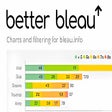
Chrome Extension to Locate Issues and Problem Areas You Want to Assess on Bleau.info

A free program for Chrome, by GPU Drops.

Finch - A Free Browser Extension for Sustainability

Github Emails Finder & Exporter PRO

Nozbist: A Convenient Chrome Extension
Chrome Extension for Video Tutorials From Youtube

Five Nights at Reddit's: Chrome Extension Review

Among Us Christmas Wallpaper Extension

PointsBet - Bet on Sports