
4.7
Trial version
Auto BCC/CC for Outlook
Copy Outlook e-mail with blind copies and carbon copies


Safe & trusted downloads
The best software, verified by experts
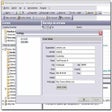
UBQ's Mail strives for simplicity. To start with, it is only a client program. You don't need a new server: you've already got it. It's the same e-mail server that you're already using. (Have you ever heard the expression "zero admin"?)
Then, whenever you use it, you'll be familiar with most of its features and with a design that's closely related to your e-mail program (which you can go on using if you want to). UBQ's Mail takes over the accurate distribution of messages received from the mail server. Your usual e-mails go to your usual e-mail program. Group-working messages go to UBQ's Mail. It's that easy.
Imagine you're in a meeting. And in this meeting there's a blackboard that everybody writes on. When the meeting ends, everything that's been discussed is on the blackboard (although it's not always comprehensible, of course!). What we've done is digitise the blackboard, give each user an identical copy of it, and call it uContext. To put it simply, if we all share the same virtual workspace, we will all be working within a single information context. Also, the tools in UBQ's Mail allow each user to comment, add files or other content wherever they want, thus generating a contextual information environment. UBQ's Mail allows you to retain and reproduce the exact context that you're working in.
PowerPoint Presentation: What is UBQ's Mail? (3.17 MB)
UBQ's Mail Quick Guide (92 KB)
UBQ's Mail Guide (715 KB)

Email and calendar control for busy teams

Efficient Email Management with Google Gmail Gadget

Maximize freedom and safety in your emails

Download Google Calendar Sync for Windows: All your calendars in one place

Efficient Email Management with Foxmail
Trial version
Copy Outlook e-mail with blind copies and carbon copies

Trial version
Canned text, templates, emoticons, documents in the Outlook email toolbar
Trial version
A variety of tools for your Outlook
Trial version
Add some new functions to Outlook
Update Outlook contacts automatically
Amazingly flexible email facility

POP/POP3 connector for Exchange and SMTP servers
Optimize your task listings in Outlook
Quickly find and manage your email
Quickly insert text templates in Outlook
A full version app for Windows, by FAT Files Restore Software.
Facilitate the use of your Outlook with this add-on
Breath new life into your e-mailing for free
Email voice messages instead of ordinary text
Robust email server

Your Freedom: Bypass Online Restrictions Easily