


Twinplayer for Windows
- Trial version
- 4.5(2)
- 7.2K
- V 4.06
TwinPlayer allows the average computer user to produce and distribute online or offline interactive multimedia presentations without requiring any programming skills. It allows you to assemble pictures, videos, sounds, texts, animations by filling in a grid style interface and place the objects on a timeline. Various options allow you to add interactivity (open, close, go to, print, launch...), transition effects and filters to each element.
You can optionally choose to view the layout in a storyboard, which displays thumbnails of the multimedia objects rather than the (more technical) grid view. Using the software, you can produce online and offline presentations, CD menus and more. They can be compiled as standalone exe files, included on a CD or also uploaded to the web. The online version requires the web site visitor to install the free player in order to view your work. In addition, you can also create screensavers, videos (avi) or e-cards from your projects. Software developers can use the ActiveX control to use in VB, Delphi or HTML projects.
Twinplayer for PC
- Trial version
- 4.5(2)
- 7.2K
- V 4.06





Discover more programs

RIOT
- 4
- Free
Reduce photo size without losing quality
FotoSlate
- 3.5
- Trial version
Explore FotoSlate: A Multimedia Photography Tool

Photomatix
- 3.6
- Free
Fuse images to gain the best exposure

Canvas
- 3.9
- Trial version
Canvas: A Comprehensive Multimedia Tool
Easy Poster Printer
- 2.7
- Trial version
A trial version program for Windows, by GD Software.

Blow Up
- 2.9
- Trial version
Enhance Your Photos with Blow Up

Bloom
- 3.2
- Free
Bloom: Free Photography Software for Windows

Picture Resizer
- 3.1
- Free
Resize your photos with a mere click of the mouse

Ultra Fractal
- 2.9
- Trial version
Create all types of fractals
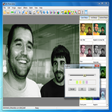
Elfin Photo Editor
- 3.6
- Trial version
Comprehensive Overview of Elfin Photo Editor
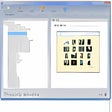
Thumb Studio
- 3.6
- Free
Photo album generator with thumbnails and slideshow