



3.4
Free
Direct Folders
Quick access to your frequently used folders


Safe & trusted downloads
The best software, verified by experts

Terminate frozen programs
Tweakingcom Kill Frozen Programs is a free utility app that was developed by Tweaking.com for use with PC devices. It is a Windows utility that can be used to terminate or force close programs that have frozen and are no longer responsive to user input, or even the task manager.
Just other apps like Task Manager DeLuxe or Ultimate Process Killer, Tweakingcom Kill Frozen Programs provides an easy, quick, and convenient way to address frozen and unresponsive applications using a keyboard shortcut to end their processes. This method can be used on both windowed or full-screen programs and games.
As you use your computer, you’ll be installing and using countless programs and video games, and eventually, something will inevitably go wrong. The most common type of occurrences involves crashes or freeze-ups. Now, addressing this is usually quite simple by pressing Alt+F4 to force close them. If that doesn't work, you could fire up your task manager with the Ctrl+Alt+Delete key combo and doing it from there.
There are times that an app persists and is unresponsive to common fixes. Enter Tweakingcom Kill Frozen Program, providing another alternative to solve your problem. The way it works is that it’ll run a loop that cycles through all running processes to check for ones that have become unresponsive and terminate them. This can be triggered through the use of a global hotkey that you can define and set.
Whenever a freeze-up happens and it can't be addressed in the usual way, you can use Kill Frozen Programs instead. It also logs the entire thing, letting you know about the program name, its process ID, and the time it happened. While its usefulness is apparent, applying it to practice is on case-by-case basis since Windows does a well enough job of handling frozen apps most of the time.
If you ever encounter freezes up that cannot be addressed through usual means, having Tweakingcom Kill Frozen Programs will be handy to have around. It's lightweight, easy to configure, and works as intended. This is especially great for computers with low specs, particularly for HDDs because they lag more often. It's worth having installed on your PC even if the need for it seldom arises.
Free
Quick access to your frequently used folders

Free
Bypass Windows 11 hardware restrictions
Trial version
Optimize Your Windows Experience with Windows 7 Manager

Free
Keyboard shortcut learning tool for PC

Free
Download Windows 11: Windows is now better than ever

Free
Repair tool for iOS devices

Startup management tool for PC

Download Windows* 98 SE Network Adapter Base Drivers [PRO98M.EXE]

Measure the pixel size of anything on your screen
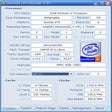
Find out everything there is to know about your processor

Add additional features to your desktop
Download System Configuration Utility
Get a graphical representation of your hard disk's space usage

Complete tool for file management
Secure Your Privacy with Evidence Terminator
A complete desktop search bar

A free app for Windows, by Victor Aremu.
Essential Data Recovery Tool for Windows