

TW Farm Assistant for Chrome
Farm Game Extension - How to Configure Farm Settings
- Free
- 4.6
- 4
- V 0.2
Farm Game Extension - How to Configure Farm Settings
If you are in the mood of the farm game but the in-game features are not enough for you, you can try this extension.
The extension is simply a tool that allows you to configure the settings in a very simple way so that it doesn't get in the way. The extension is a tool that will allow you to quickly change the settings of your units and resources as well as the settings of your farms.
Step 1
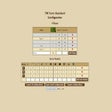
Once you download the extension you will be able to configure it using the "Configure farm" button.
Step 2
To add or remove a village click in the tab "Villages".
Step 3
You can add or remove units and villages by the settings you already have in your game.
Step 4
To make a change you only need to make a single click in the settings you want to change.
Step 5
Now you have all setup and running.
TW Farm Assistant for Chrome
- Free
- 4.6
- 4
- V 0.2
Top downloads

Winning Eleven 2012 APK Download v1.0.1
Explore a fun plug-in

Kinemaster for Pc - Download For Windows/Mac
Desktop video editing made accessible and efficient

Netmirror Extension
Efficient HTTP Header Management with Netmirror Extension

ZED: Zoom Easy Downloader
A free app for Chrome, by Zoomcorder.com.

Instant Data Scraper
A quick scraper for browser-based data collection