





3
Free
Krento
Krento: A Versatile Desktop Utility for Windows


Safe & trusted downloads
The best software, verified by experts

Superior replacement for the standard Quick Launch Bar with menus, skins and add-ons.
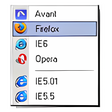
True Launch Bar is a Superior replacement for the standard Quick Launch bar. All functions presented in Quick Launch are also in True Launch Bar. However, the True Launch Bar is fully compatible with Quick Launch because it uses the same folder for shortcuts. But there is one huge difference. True Launch Bar allows you to combine your shortcuts into groups. This feature looks like popup menus. This vastly improves the management of your shortcuts and save working space on your desktop. By using True Launch Bar, you speed up the launching of your applications like never before. See screenshots to see True Launch Bar at work.
True Launch Bar fully supports Windows Drag&Drop technology. You can easily create new popup menus. Simply right-click on True Launch Bar and select "Create menu". After creating the new menu you can easily drag your shortcuts to this new submenu.
Free
Krento: A Versatile Desktop Utility for Windows
Free
A faster way to launch programs and open files

Free
Circle Dock: A Free Utility for Windows
Free
Access your favourite programs in a different way

Free
Manage Your Dock Plugins with Ease

Free
Easy application launcher with support for removable media

Transform Your Desktop with Sucrose Wallpaper Engine

Comprehensive Overview of RobotStudio Software

Versatile Media Player for Windows Devices

Efficient 3D Model Viewing with Autodesk Create Installer

Comprehensive DICOM Viewer for Medical Imaging

A tool for recovering corrupted Microsoft Access files

Perform computer configuration analysis and diagnostics

Optimize Your Disk Performance with Disk SpeedUp

Officially recognized driver for HP 1512 Deskjet printers

Comprehensive Utility for Graphics Card Analysis

Comprehensive Overview of LabyMod Launcher

Collaborative Workspace for Teams