4.5
Free
Screen ONOFF With Double Tap
Effortless Screen Management with Double Tap


Safe & trusted downloads
The best software, verified by experts
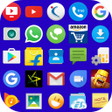
Tiny Icons Widget - Best Home Screen Widget to Open All Apps in One Touch
Tiny Icons Widget is the best home screen widget app to open all apps easily on the home screen without opening the menu on an Android device.
Once the app icon size is selected, you can adjust the size of the icons by scrolling the app name icons vertically.
Note: Creating a widget in Android may vary from one device model to another model.
If it is still not clear how to use the Tiny Icons Widget, then check the demo video below for the YouTube link:
https://www.youtube.com/watch?v=0sbfY2XkSwg
Why choose Tiny Icons Widget?
Best home screen widget app to open all apps easily on the home screen without opening the menu on an Android device using Tiny Icons Widget.
Advantages:
You will get all the apps in one touch.
Your mobile home screen looks colorful.
Customize the widget with any color combination for the app name and background using the color picker.
No need to go into the menu to search for applications.
You save your own time instead of searching apps in the menu.
Filter the desired apps to appear in the home screen widget.
Launch all your favorite apps from the home screen itself.

A free program for Android, by B S Games.

A free program for Android, by Sahalnaha.

Blue Flame Skull Theme: Personalize Your Android Device with +HOME

A free app for Android, by Jason Johnson Tech.

A free program for Android, by zeroapp.
Neon Horror Mask Keyboard Background for android from Custom Themes for Android Apps
Arcade Hecarim - League of Legends Skin Review

Art Pixel - Create Stunning Artwork from Any Photo

Cute Panda Theme List Review

Ascii Art 2021: Create Stylish Text with ASCII Codes
Green Icon Pack Free: A Comprehensive Icon Pack for Android

Enhance Your Android Experience with Infinix Launcher