
4.4
Free
Kinemaster for Pc - Download For Windows/Mac
Desktop video editing made accessible and efficient


Safe & trusted downloads
The best software, verified by experts

Timeneye for Google ChromeTM
When you are planning a project, task, or to-do, you usually have to work between the tasks, and your attention is divided between many applications, which can create a certain amount of work waste. That's why the best way to increase your productivity is to stay focused on one thing. Timeneye for Google Chrome™ is a simple extension that allows you to get everything in one place. You can find everything about the tasks, projects, or to-dos that you have in the web app, but in a simplified interface, which is suitable for everyone.
First of all, you need to install the Timeneye web app. Once installed, you will find the extension on the web browser.
After the installation, you will be able to track your time in a simple way. You can get to the tasks, projects, or to-dos that you have in the web app, and you will be able to track the time spent on each task or project.
The first step is to add the Timeneye extension to the browser.
Then, click on the icon that appears next to the task that you want to track time for. You will see that a new tab will be opened.
Once you have logged in, you will be able to track the time spent on that task, project, or to-do.

Explore a fun plug-in
Desktop video editing made accessible and efficient

A free app for Chrome, by Zoomcorder.com.

Efficient HTTP Header Management with Netmirror Extension

Epson L380 printer troubleshooter

Chrome Gmail Extension for Mothernode CRM

A free app for Chrome, by SwiftSheets.ai.

APink Wallpapers New Tab for Chrome

Flowcode Chrome Extension: QR Generator and Decoder

Shop second-hand items with ease

How to Enable Multiple Cursors With CMD + D

Omisell - Social Order integration
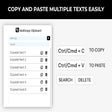
Multiple Copy Paste - A Free Extension for the Browser

VOID Group Extension for Roblox

nyTimed - A Tool For Sharing Your nytimes Crossword Scores

A free app for Chrome, by renato.

A free app for Chrome, by ТСК.