
4.4
Free
Kinemaster for Pc - Download For Windows/Mac
Desktop video editing made accessible and efficient


Safe & trusted downloads
The best software, verified by experts
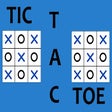
Tic Tac Toe: Play with One-Player and Two-Player Mode
There are two ways to play. One is against the AI and another is with the opponent. One-player mode offers four AI difficulty levels, ranging from easy to extreme! This mode does not have rules. The other mode, two-players mode, is against two players. You can play with the same player or different players.
Game rules:
The players should take turns by clicking the button in the bottom left.
Each player has a turn.
On each turn, a player can place a tile, by simply clicking the spot.
When a player places a tile, a notification appears.
You can change the difficulty level at any time by clicking "Settings".
If the opponent does not want to play, simply click "New Game" to reset the board.

Explore a fun plug-in
Desktop video editing made accessible and efficient

A free app for Chrome, by Zoomcorder.com.

Efficient HTTP Header Management with Netmirror Extension

A quick scraper for browser-based data collection

Enhance Your Quora Experience with Quora Blur Remover

Web Text Expander: Text Shortcuts & Snippets

CybrHome - A New Tab Page for the Chrome Browser

Enhance Crunchyroll: A Multi-Browser Extension for an Enhanced Crunchyroll Experience

Protect your Privacy with StealthSurf

A free program for Chrome, by Tres Chain.

Zoho Regularise - Lets You Quickly Fill In Your Monthly Attendance

Comment Reader for YouTubeTM - Read Top Comments Seamlessly

A free program for Chrome, by phoneunlocker.frp.

IE View WE - Open All Links and Pages Using Internet Explorer

Track Changes with Your Browser Toolbar