





2.8
Trial version
DIGEST.desktop
Comprehensive Overview of DIGEST.desktop


Safe & trusted downloads
The best software, verified by experts

Free Software to Replace Abbreviations with Text
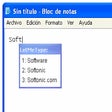
Much like texting via a standard mobile device there can be instances when you require preset abbreviations or acronyms to be replaced with text. One common example is the ability to translate 'ttyl' into 'talk to you later'. This Lifehacker Code Texter is an excellent and user-friendly piece of software to keep in mind. It is able to work within standard operating systems and can be installed in only minutes.
The Lifehacker Code Texter enables you to enter in what are known as 'hot strings'. These are predetermined abbreviations (such as the one listed above). When such snippets are then typed into a common document the phrase that they are associated with will appear. This enables you to save a great deal of time when writing multiple emails or when a certain string of text needs to appear multiple instances throughout a document.
Lifehacker Code Texter provides you with additional options to enjoy. For instance a new hot string can be quickly entered by using the Ctrl-Shift-H function. You can replace or modify existing text strings when required. The contents from a clipboard can also be entered with the simple click of a button.
Trial version
Comprehensive Overview of DIGEST.desktop
Free
A free (gpl) Software utilities program for Windows

Trial version
Streamline Your Workflow with Breevy

Free
Streamline Your Typing with PhraseExpress

Free
Efficient Hotkey Management with Hotkeyz
Trial version
Always have your programs and files at hand
Reliable disk imaging for backup and recovery

Streamlined Update Management with Autodesk Access

Customize this attractive launch bar with your favorite apps
Efficient Process Management Tool

Professional Software to View Multiple File Formats

Automate Your Audio CD Backup with AutoFLAC

Alternative task manager to unfreeze your computer

Efficient Networking Tool for Remote Commands

Streamlined Collaboration with Lanhu Axure Client

ECLiPSe: A Comprehensive Constraint Programming Tool

Efficient Backup Management with Resticprofile