


Task Scheduler for Windows
A simple boost to everyday productivity
- Free
- 4.6
- 687
- V 2.0
A simple boost to everyday productivity
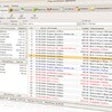
Task Scheduler is a business and utility app that offers a straightforward and practical solution for users seeking better control over their routines. Its clean, minimal interface makes it approachable for beginners while still supporting detailed scheduling needs. By focusing on reminders and automation, the application streamlines productivity and reduces the risk of forgetting tasks or deadlines.
Streamlined tools for structured planning
Task Scheduler focuses on agenda and calendar management; it caters to users who value structured planning. It allows precise date and time configurations, ensuring that every task is handled automatically. The ability to create reliable reminders helps simplify day-to-day responsibilities and keeps important activities consistently organized.
Beyond reminders, the utility app stands out with its program-launching automation, enabling users to run applications or scripts at scheduled times. This enhances efficiency for repetitive tasks like cleanups or file openings. However, its interface can feel too simplistic for advanced users seeking deeper customization or more modern design sensibilities overall.
Practical, efficient, and beginner-friendly
Task Scheduler remains a functional and dependable option for users needing simple automation and reminder features without unnecessary complexity. Its straightforward approach makes it ideal for beginners or those managing routine tasks. While not feature-rich, it delivers consistent performance, making it a productivity companion for Windows users seeking task organization.
Pros
- Easy to use
- Reliable reminders
- Useful program-launching automation
Cons
- Interface feels simplistic
- Limited customization
Also available in other platforms
Task Scheduler for PC
- Free
- 4.6
- 687
- V 2.0



Discover more programs

StickyPad
- 3.3
- Free
A free Productivity program for Windows

EdrawMax
- 3.5
- Trial version
Excellent mind mapping software
Active Desktop Calendar
- 3.5
- Trial version
Efficient Scheduling with Active Desktop Calendar

PNotes
- 3.3
- Free
Stay Organized with PNotes for Windows

Shock Sticker
- 3.1
- Free
Excellent virtual sticky notes tool

Lattics
- 4.8
- Free
Lattics: Academic Writing and Data Analysis Tool
My Daily Planner
- 2.4
- Free
Efficient Scheduling with My Daily Planner

FinaP
- 4.2
- Free
FinaP: Personal Finance Management Tool
Family Finances
- 4.2
- Paid
Family Finances: Manage Your Family's Finances Effectively

Desktop TreNotes
- 4
- Paid
Desktop TreNotes: Comprehensive Note-Taking and Organization Program

Vehicle Manager 2006 Fleet Edition
- 4.8
- Paid
A full version program for Windows, by Kaizen Software Solutions.