




3.3
Free
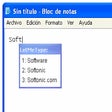
LetMeType
A free (gpl) Software utilities program for Windows


Safe & trusted downloads
The best software, verified by experts

Free Chrome extension for Google tags
Tag Assistant is a Google Chrome extension. As part of Google’s developer utilities and tools, this is used to validate the implementation of Google tracking scripts. This can show how many tags and errors are found on a web page. It can also show you the most relevant help documents to resolve problems and create suggestions. The extension has been configured for mouses and keyboards so you can modify its settings easily. The comprehensive list of user options allows you to tailor the diagnostic output to your needs.
Tag Assistant can verify the implementation of a Google pixel in two ways: source code scan and header request checks. The source code is more detailed than the header request checks. It uses a pre-defined list of implementation checks to perform each tag. Once the page loads, it will scan the web page’s source code and locate a specific Google pixel.
The identified pixel will be compared to the correct or standard implementation and other implementation checks found on the pre-defined list. Header checks offer more general information than that of the source code scan. Header requests determine whether or not a specific pixel actually fired. A pixel that has been fired sends relevant information to Google servers such as labels, profile numbers, account numbers and so on. Tag assistant monitors all the information from the web servers, ensuring that the proper request has been sent to the servers.
It is important to know that without ‘Parse External Scripts’, the extension will not pick up the tags. Google tags that are inside a container tag, separate script or uses iFrame will not be properly diagnosed. This is because Tag assistant has a limited subset of scripts that they provide support for. The primary check and header check will not detect scripts that do not fire while the secondary check and source code lookup do not detect tags implemented inside containers or iFrames.
Tag Assistant allows you to modify which Google pixels to check, the details you want to show for each pixel and check for pixels in external scripts. The user settings appear when you right-click on the Tag Assistant icon on your Google Chrome window. In the options tab, you will see that it is set to default detail level. You can modify the pixels to basic, detailed or none. The modification can be applied to all pixels or to each pixel.
The modification settings will provide different levels of information. For basic, it covers identification, errors, suggestions and other relevant information. The detailed setting offers the same information as basic but with the addition of resolutions for debugging. The last setting is the Parse External Scripts. This checks Google pixels for external scripts similar to that of container tags.
With Tag Assistant, you can modify several user options. These allow you to tailor the diagnostic output to your needs. This Chrome extension is for professional developers and advanced users who need to verify the various Google tags on their website. They can immediately navigate any page as Tag Assistant will automatically tell you which tags are present. Best of all, this extension was developed by Google themselves. So, you do not have to worry about third-party developers looking into your website.
Free
A free (gpl) Software utilities program for Windows

Free
Free Software for Facebook Users
Free
Lightweight drawing program for PC
Free
Software Application to Optimize the Performance of an Operating System

Trial version
An Efficient And Fast File Downloader
Free
Efficient Uninstallation with IObit Uninstaller

eSoftTools Excel Password Recovery

Streamline Digital Signage Management with BA Connected

Universal MW: A Comprehensive Digital Identity Tool

Efficient Command Line Utility for File Management

Efficient Logging Tool for Amateur Radio

Efficient CAD Drawing Software for Windows

Comprehensive C/C++ Compiler for Windows

Comprehensive Utility for Windows Users

Specialized Keyboard Layout for Philippine Languages

Comprehensive Offline Travel Guide for Windows

Install the latest driver for HP photosmart c4385

Streamline Development with Lando