

Stickman Studio - 2D Animation for Android
<h2>Mobile stickman animation for quick social clips and short stories</h2>
- Free
- 4.5
- 1
- V 1.06
<h2>Mobile stickman animation for quick social clips and short stories</h2>
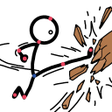
Stickman Studio - 2D Animation, by AloneWolf, is a mobile animator for creating short stickman scenes and clips on Android. It helps creators arrange motion sequences on a phone, sketch characters, and stitch brief animated content into shareable video files for social platforms. The app ships with a ready-made character library, weapons and accessories, and lightweight performance optimizations together with direct MP4 export. Suited to hobbyists, students, and social creators seeking an approachable 2D animation tool.
How it handles quick creative sessions
The app uses a focused frame-by-frame workflow for short animations, letting creators build motion one pose at a time. It includes custom drawing tools so you can design original characters and props, and it exposes precision editing controls for moving, rotating, and resizing elements. Typical daily uses listed by the developer include action-packed fight sequences, short stories, and memes, so quick turnarounds and iterative sketching fit the intended routine.
Which Android devices and workflows it suits
The tool runs on Android, and system requirements vary by device, which affects performance on older hardware. The developer tuned the package for on-device use, emphasizing a portable workflow for animating away from a desktop. That mobile-first orientation makes it convenient for creators who edit on commutes, in classrooms, or during short studio breaks, provided the device handles the app’s rendering load.
Is it approachable for hobbyists and students?
The interface is presented as simplified to keep the learning curve low, and user feedback highlights smooth animations without a steep onboarding process. Students and casual creators can rely on the app to translate simple sketches into motion thanks to accessible drawing tools and presets, while short practice sessions produce visible progress without long setup or complex menus.
How it compares with heavier animation software
The app positions itself between doodling tools and full desktop suites, serving as a portable alternative rather than a feature-complete replacement. The developer notes that its editing controls and timeline can be used by more experienced creators for mobile projects, so it is useful both as a rapid-idea capture tool and as a companion for focused mobile production when a desktop workflow is impractical.
To sum up, a practical mobile choice for stickman-focused creators
To sum up, the app is a practical option for hobbyists and social creators who want to produce short animated clips on Android without complex setup; it shines in portable, quick-turnaround workflows. Consider a newer device for consistently smooth performance, since system requirements vary by device and may limit animation fluidity on older phones.
Pros
- Frame-by-frame timeline for fine motion control
- High-quality MP4 export ready for social platforms
- Library of characters and accessories speeds scene setup
- Custom drawing tools enable original character creation
Cons
- Focused on stickman style, less flexible for other art directions
- System requirements vary by device; older phones may underperform
- Not a substitute for full desktop animation suites for complex projects
Stickman Studio - 2D Animation for Android
- Free
- 4.5
- 1
- V 1.06
Top downloads

Drawing Grid For The Artist
A guide for artists

Higgsfield ai
Higgsfield AI: Your Ultimate Presentation Tool

iOS Emojis For Android
iOS Emojis For Android

GenV - AI Video Generator
Transform Ideas into Cinematic Videos with GenV

Anijam: AI Animation Maker
Anijam: AI Animation Maker for quick social-video creation