





3
Trial version
Power Recovery Professional
Data recovery for all Windows file systems


Safe & trusted downloads
The best software, verified by experts

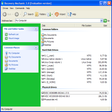
Stellar Phoenix File Recovery is high-quality data recovery solution that uses powerful algorithms to recover deleted/lost files after instances ranging from accidentally formatting the hard disk to emptying the Recycle Bin to files deleted after a virus attack. Stellar Phoenix File Recovery offers a graphically rich user interface which, combined with new and advanced features such as File Mask, File Filter, File Recovery Wizard. it greatly eases and facilitates the recovery process.
You should use Stellar Phoenix File Recovery in following cases:
File Recovery Software scans every sector of your storage media for the lost files that you wish to recover and displays them in a tree according to the file type. The recovery software scans the drive in raw mode and can locate the files without the aid of file system data structures.
It recognizes and restores over 300 file types. This includes word processor, document, spreadsheet, graphic, internet, multimedia, source code and many such file formats. The list of file types can be viewed and selected in the software.
Stellar Phoenix File Recovery Software is a flexible tool. If you wish to recover a file type that software does not already recognize; you can add that file type to the list using the wizard.
The software has a tighter integration with windows operating system while scanning logical drive. The software supports FAT and NTFS file systems and a user can scan the entire logical drive or scan only in the unused disk space. All version of Windows are supported including - Windows 95, Windows 98, Windows ME, Windows NT, Windows 2000, Windows 2003 Server and Windows XP.
Trial version
Data recovery for all Windows file systems
Trial version
Fed up of accidently deleting files?

Free
ReclaiMe: Data Recovery Tool Review
Paid
Pen Drive File Recovery Application
Trial version
Recover Microsoft Money files

More Than Screen Capture

Simple tool for resetting Windows passwords

Comprehensive Tool for gRPC Testing

Efficient Telemetry Management with ConfigSoft
Switchbar: Efficient Browser Management Tool

Comprehensive HTTP(S) Utility Tool

Efficient Control of LINSTOR Clusters

Efficient File Management with Wifbox

Efficient Technical Support Tool for Windows

Comprehensive Log Viewer for Multiple Formats

Install the latest driver for HP envy 110

Essential Debugging Tool for Electron Apps