




4.2
Free
JDiskReport
A free Software utilities program for Windows


Safe & trusted downloads
The best software, verified by experts
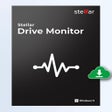
Watch your drive’s health with this tool
Stellar Drive Monitor is a free desktop utility for checking the health, performance, and temperature of hard drives and SSDs before serious failure happens. Instead of recovering files after a drive has already crashed, it focuses on prevention.
Stellar Drive Monitor’s software runs in the background, monitors drive behavior, checks SMART data, scans for bad sectors, tracks partitions, and gives users warnings when something looks wrong. That makes it a preventive storage tool for people who want to protect important files before data loss becomes a bigger problem. Additionally, it has a simple interface and unobstructive program behavior.
Stellar Drive Monitor gives users a quick look at drive temperature, health, and performance, which is helpful for spotting early signs of trouble. High drive temperature, poor performance, and declining health can be signs that a disk needs attention, backup, or replacement. This is not as flashy as a recovery tool, but it is arguably more important because it helps users act before a drive becomes unreadable.
It shows SMART (Self-Monitoring, Analysis, and Reporting Technology) attributes through multiple data columns and graphical references, while also allowing users to save reports for later comparison. This is useful for people who want to track whether a drive is getting worse over time. The ability to export or save reports also helps when diagnosing issues, comparing old and new results, or deciding whether a drive should be replaced.
This tool also includes a partition module that shows partition names, health status, total capacity, free space percentage, and related storage details. Users can see which partitions are healthy or failing and how much free space remains. That can help with basic storage planning, especially on systems with multiple partitions, external drives, or backup disks. However, some functions are locked behind a paywall. Moreover, it does not replace regular backups.
Stellar Drive Monitor provides a practical way to keep track of drive health before serious problems occur. Its SMART monitoring, temperature tracking, partition analysis, and bad-sector detection help users identify warning signs early and make informed decisions about backups or replacements. While some features require a paid upgrade and it cannot replace a proper backup strategy, it remains a valuable preventative tool for maintaining the reliability and longevity of storage devices.
Free
A free Software utilities program for Windows

Free
Aptakube: Simplified Kubernetes Management Tool

Free
Comprehensive Software for Laser Cutting and Engraving

Free
Efficient Disk Management with NIUBI Partition Editor

Free
Manage your Samsung SSD

Free
A faster, smarter Scratch experience
Free update installer for Windows 7

Windows 11 compatibility check utility

A free recorder that feels premium
Alternative Windows Run-Dialog utility

Free Windows and MS Office ISO verifier

Want to know what is loaded on your PC when you start Windows?

Simple and powerful tool to save JSON information as JPG images for easy viewing across devices.
A powerful data-erasing tool for iOS devices
Analyze system for Windows 11 compatibility
Convert Audible contents

NSF to PST Converter