





4
Free
Snap-It
Efficient Screen Capture Tool for Windows


Safe & trusted downloads
The best software, verified by experts

Quickly capture what’s on your screen
SnapIt is a useful tool for getting screenshots quick and easy, but that is not all there is to it. There are additional features that make taking screenshots more manageable and convenient to its users. SnapIt has customizable settings that would allow you to change a few of the captured images’ properties.
Usually, Print Screen or Screencapture software takes a shot of your whole desktop screen, regardless if you meant to have it as a whole, or if you are trying to get only certain portions of it. While it would often require you another separate editing tool to crop out other unwanted elements in your screencap, using SnapIt will let you skip out on that step. Capturing or printing your screen using this tool will allow you to apply minor edits on the image before you save it on your computer. The app gives its users the chance to manually select which specific parts on their desktop they would want to capture so that there is no need to edit and crop the image later on. Once launched, you will see that your cursor has turned into a plus sign. To capture the intended part or image, simply click, hold, and drag until the guiding lines are able to fully surround what you are trying to take a screencap of. When you release your mouse click, you will have your image taken.
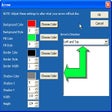
When it comes to editing the image’s properties, you will be able to decide what image file format you would like the screencaps to be saved as, change the file name, and choose an output folder where the screencap will be saved. Changing the hotkey or keyboard shortcut for SnapIt can also be changed in the Properties window.
SnapIt is useful in a number of ways as captured images can be used as file attachments for important e-mails, documents, and other presentations. Being able to capture only specific parts instead of the whole screen is also very convenient because it cuts down the time you would usually spend on editing the image.
Free
Efficient Screen Capture Tool for Windows

Trial version
A simple tool to instantly capture your PC screen

Free
Screen recording software

Free
Easy to use and quick screenshots

Free
Capture any part of your desktop

Free
Powerful tool for taking screenshots
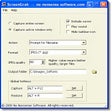
Simple screen capturing tool with auto-save feature
View more than 1,300 online TV stations from around the world

A Free Video program for Windows

Record everything you see, hear or do on your PC

Coolcam: Game Recording Software
All-in-one screen capture suite with editing and publishing features

Efficient Screen Capture Tool for Windows

Watch TV on your PC with Over 200 channels to choose from

Screengrab images, video and audio
Versatile and easy to use screen grabber
Capture screenshots with precision

A Free Design & photography program for Windows