

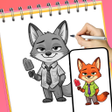
SketchAR: Draw Learn for Android
SketchAR: AR tracing tool for beginners and hobbyist artists
- Free
- 4.5
- V 2.0.0
SketchAR: AR tracing tool for beginners and hobbyist artists
SketchAR: Draw & Learn, from Three Rivers Athletic Boosters INC, turns an Android phone into a guided tracing light box for learning to sketch. The app projects templates through the camera onto paper so users trace shapes and practice pencil technique, with adjustable opacity, template categories, and on-device video capture for documenting sessions. It targets beginners, children, and hobbyists seeking structured, hands-on practice. It suits short practice sessions and step-by-step tracing lessons for casual home use and classroom activities.
What does SketchAR do for beginner sketchers?
The app uses AR projection through the smartphone camera to lay a virtual image over a physical page, so novices can follow contours and build muscle memory by tracing. That approach places guided practice into everyday settings, from a kitchen table to a classroom desk. Templates cover hobby-focused subjects, including:
- Anime and character outlines
- Animals and nature sketches
- Mandalas and simple objects
How well does it support casual creation and sharing?
Recording and saving are built into the workflow: the tool includes video capture to document each session and a gallery export path to keep finished sketches on the device. Adjustable image opacity helps users tune projection visibility, and a built-in torch toggles on for low-light tracing. These elements make short practice sessions and social-post-ready recordings practical without leaving the drawing surface.
What setup and device permissions are required on Android?
The app runs on Android and requires camera access for AR functionality and storage permission to save artwork to the device. The developer publishes this and other creative utilities under a local organization account, so installation and permission prompts follow standard mobile consent flows. No extra hardware is listed as required beyond a smartphone with a working camera.
Who benefits most, and where it stops short for advanced workflows?
Designed for beginners, children, and hobbyists, the tool suits hobbyist learning and short daily drills rather than professional production. Users can convert gallery images into traceable outlines, which aids personalized practice, but the product is described as a lighter, simplified alternative to more complex AR art suites, so advanced feature sets and professional export options are not the focus.
To sum up, a practical starter tool for guided practice
To sum up, SketchAR is a helpful training aid for casual learners who want hands-on tracing to build drawing habits, backed by on-device recording and hobby-focused templates. Expect a learning-centered experience rather than professional workflow depth. Pro tip: commit to short, regular tracing sessions to translate repeated outlines into confident freehand sketches.
Pros
- AR projection uses the phone camera to enable direct tracing
- Built-in video capture records the drawing process from start to finish
- Adjustable opacity and torch support aid visibility in varied lighting
Cons
- Aimed at beginners, not a professional AR art suite
- Requires camera and storage permissions for core functions
- Template focus on hobby categories may limit specialized needs
SketchAR: Draw Learn for Android
- Free
- 4.5
- V 2.0.0
Top downloads

Drawing Grid For The Artist
A guide for artists

Higgsfield ai
Higgsfield AI: Your Ultimate Presentation Tool

iOS Emojis For Android
iOS Emojis For Android

GenV - AI Video Generator
Transform Ideas into Cinematic Videos with GenV

Anijam: AI Animation Maker
Anijam: AI Animation Maker for quick social-video creation