



4.7
Free
AI Drawing - Trace and Draw
AI Drawing - Trace and Draw App Overview


Safe & trusted downloads
The best software, verified by experts
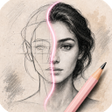
Practice portrait construction with AI-guided Loomis steps
Sketch Steps: AI Loomis Draw, created by Recep Can Akdemir, is a portrait-drawing tutor that converts photos into guided Loomis exercises for daily practice. The app uses an AI Loomis Studio to turn any portrait into an eight-step construction guide and pairs that with a Tracing Studio for hands-on tracing and study. It also offers a Reference Library and AI-styled tracing variants, aimed at beginners, hobbyists, and art students seeking repeatable proportion drills.
Sketch Steps converts a portrait into a clear, sequential study, producing an 8-step construction that illustrates Loomis-style landmarks and proportions. The app separates analysis and practice into two modes, so users can examine simplified structural lines before tracing or copying them. In practice this turns a reference photo into a stepwise roadmap you can follow in short daily sessions without needing formal lesson plans.
The Tracing Studio lets you import your own images for direct study while the Reference Library stores generated tutorials and custom references. The workflow supports a simple loop: import a portrait, generate the Loomis breakdown, then save the result for later review. A clean, distraction-free interface keeps the canvas and guides central, helping repeated practice feel focused rather than cluttered.
The app targets beginners, hobbyist artists, and art students with staged guided drawing steps that isolate proportions and facial structure. The consistent eight-step approach reduces complexity into predictable stages, useful for timed practice or homework. Because the developer automated the Loomis method specifically for photos, users who want repeatable construction drills see a direct translation of textbook technique into daily exercises.
Sketch Steps is available on Android and iOS devices and is published by an independent developer. Some advanced AI-generated references and extended tooling sit behind an account-gated tier or use in-app coins, so not every generated variant is immediately open. The app imports user photos for conversion, which requires the usual photo-access permission on mobile devices.
To sum up, Sketch Steps is a practical option for beginners and hobbyists who want a repeatable, exercise-driven way to learn facial proportions. The account-gated access to certain AI variants can limit how many reference styles you use without planning, so factor that into a study routine. As a daily practice companion, it suits anyone aiming to build steady, focused portrait-sketch habits.
Free
AI Drawing - Trace and Draw App Overview

Free
Sketch AI: AR Drawing App Overview

Free
Unleash Your Imagination with Eden AI Artist
Free
Trace to Sketch AI Draw App: Augmented Reality Art Experience
Free
AI Drawing Trace Sketch: Turn Images into Physical Drawings

Free
ArtVibe - AI Painting Master Overview