ShotEasy - Light and easy-to-use screenshot tool for Chrome
ShotEasy - Lightweight Screenshot Tool
- Free
- 4.5
- V 0.1.6
ShotEasy - Lightweight Screenshot Tool
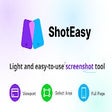
ShotEasy is a light and easy-to-use screenshot tool available on the Chrome platform. It offers the convenience of capturing specific areas or scrolling through entire web pages to create comprehensive screenshots. With built-in beautifier and editing tools, users can enhance their screenshots effortlessly.
This online free tool simplifies the process of taking screenshots on both Windows and Mac systems. It provides various capture options, including full webpage screenshots for easy editing and sharing, selective screen captures, capturing visible screen parts, and even capturing other desktop windows. Additionally, ShotEasy offers delayed capture for specific scenarios and allows users to edit and beautify local images.
Also available in other platforms
ShotEasy - Light and easy-to-use screenshot tool for Chrome
- Free
- 4.5
- V 0.1.6




Discover more programs
IDM Integration Module for Chrome
- 5
- Free
IDM Integration Module for Chrome
Profile Picture Guard (Shield)
- 4.4
- Free
Profile Picture Guard Extension Review
View Once Plus: Photo Preview on Whatsapp Web
- 4.8
- Free
View Once Plus: Photo Preview on Whatsapp Web
ME Pass - Meta Earth Wallet
- 4.7
- Free
ME Pass - Meta Earth Wallet Overview
有道速读插件
- 4.1
- Free
有道速读插件: A Convenient Tool for Reading PDFs in Chrome
Minecraft Block Fall Html5
- 4.9
- Free
A free program for Chrome, by freehtml5gamesnews.
TwitterTimelineLoader
- 4.6
- Free
TwitterTimelineLoader - Chrome Add-on for Automatic Timeline Refresh
tldrx.me
- 4.6
- Free
tldrx.me: Web Page Summarizer Extension for Chrome
Netflix Recommender
- 4
- Free
Netflix Recommender: Your Personalized Movie/Show Recommendation Extension
Full Frame (35mm) Focal Length for Flickr
- 4.2
- Free
Full Frame (35mm) Focal Length for Flickr
Title & Meta Description Checkers - cmlabs SEO Tools
- 4.6
- Free
Title & Meta Description Checkers - cmlabs SEO Tools