




0.5
Trial version
Hardware Monitor
Read out all accessible sensors


Safe & trusted downloads
The best software, verified by experts
Keep a Close Watch on How Hot Your MacBook Gets
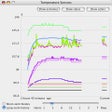
SensorX is a tool that watches historical and current processor temperature extremes. When the temperature crosses the upper limit, the program notifies you of the same through a message and/or sound. SensorX shows current minimum and maximum temperatures, and average and past temperatures of cores. It runs silently in the background and can be accessed from the menu bar. Moreover, the display alerts and modes are configurable, along with the update frequency.
Trial version
Read out all accessible sensors

Free
Efficient Power Management Tool for AMD Users

Free
Monitor your laptop's battery
Free
Test the temperature of your Mac

Free
Check how your battery is doing

Free
Efficient Battery Monitoring Tool for Mac

Simplifying device management on macOS

A free program for mac
A free program for mac

Archive management app for macOS

A free Revo Remote viewing program for home surveillance

Use the contextual menu to easily access folder contents

Use Remo Repair AVI software to overcome AVI, XVID and DIVX file corruption issue
The clipboard manager for Mac
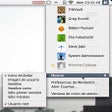
Simplify the Mac menu item bar
Wipe your Mac clean of extra applications

A free program for mac
A free program for mac