
3.9
Free
Mozilla Thunderbird
Maximize freedom and safety in your emails


Safe & trusted downloads
The best software, verified by experts
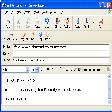
Send Personally is designed for all users
Add-in Send Personally is designed to send messages to a great number of recipients via Microsoft Outlook (32 and 64-bit). Add-in offers an alternative method of sending messages from Outlook, separate message being created for each recipient. The final recipient will get no information about the other recipients. Moreover, he/she will see only his/her name and address in the "To" field, as if the message was sent only to him/her.
The main problem with sending messages through Outlook is that Outlook shows all the recipients in the message heading. If the recipient list is relatively small, this doesn't result in any considerable inconvenience. However, if a message is sent to hundreds of recipients, its heading size might many times exceed the size of the message text and all attachments. Send Personally offers an easy solution to the problem. And you won't need to perform any additional actions.
Email and calendar control for busy teams
Efficient Email Management with Google Gmail Gadget
Maximize freedom and safety in your emails

A free, simple email hub

Download Google Calendar Sync for Windows: All your calendars in one place
Free
Maximize freedom and safety in your emails
Paid
Email and calendar control for busy teams

Free
Download Microsoft Outlook Connector for Windows
Trial version
Make secure express backups of Outlook Express data
Free
An easy-to-use Outlook Express emails backup utility
Trial version
Add some spice to your Outlook with this cool plugin

Redesigned version of Thunderbird that you can take with you

Easily send personalized emails in bulk
Amazingly flexible email facility
Search and destroy duplicate mails
Send mail from anywhere with your own integrated SMTP server

E-mail alert system with some extremely handy features
Quickly find and manage your email
Add some new functions to Outlook
A powerful email server for Windows NT/2000/XP
A professional email notification tool
Process a large amount of email automatically
SMTP / POP3 mail server