
4.8
Free
Visual Effects for Google Meet
Visual Effects - Make an Excellent Impression!


Safe & trusted downloads
The best software, verified by experts
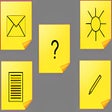
Create Self-Stick Notes on Any Page
You can now easily create self-stick notes on any page. They are just a few clicks away.
The extension is easy to install and is going to enhance your browsing experience. All you need is a web browser on a PC.
On the web page, click on the button with the gray icon.
In the window that opens, you can write down the things you need to remember or do.
Once you are done, you can easily save it.
You can also use it as a reminder for yourself or another person.
The extension allows you to create and save the notes on the page.
You can remove them all at once or individually.
It is also possible to change the location of the notes.

Explore a fun plug-in

Desktop video editing made accessible and efficient

A free app for Chrome, by Zoomcorder.com.

Efficient HTTP Header Management with Netmirror Extension

A quick scraper for browser-based data collection
Printable DevOps: Generate Printer-Friendly Versions of Azure DevOps Work Items
The Latest YT Ranking Factors

NB Custom Field Extension

How Does OneFundraise Work?

How to Get Price Alerts for Amazon Products on the Amazon Site

The Site SEO Analysis Extension

OpenChain Wallet: An Openchain wallet in your browser

攻城三国志: A Realistic SLG Game Set in Ancient China

头条搜索,右键快捷搜索

How to Use This Chrome Extension

trak.ink orders: A Convenient Tool for Order Fulfillment

Jet Fighter Wallpaper - A Unique Extension You Can Download Now!