




2.1
Trial version
Screen Mimic
Capture everything on your desktop and turn it to Flash


Safe & trusted downloads
The best software, verified by experts

A Simple and Effective Screen Capturing Tool
Screen Cap is a software tool that lets you record and capture your Mac screen. This feature comes in handy when you want to capture activities on your computer’s screen for audio and video tutorials.
Screen Cap lets you screen-capture multiple things the way you want. For instance, you may opt to record the entire screen or only a portion of it. You can choose the video quality and maximum frame rate. Also, you may record a series of pictures and present it as a slideshow or movie. There are totally five resolutions to choose from, and you get to select the scaling factor. Also, if you are doing video tutorials, you may choose to record and accentuate the mouse clicks. If you are someone who records games, such as Minecraft, on your Mac, you would find this tool quite handy.
This easy-to-use screen capturing tool would be of help even if you have no computer experience or you purchased this tool not knowing how screen recording actually works. In other words, you should be up and recording within minutes after having installed the tool. All the tools and features are easily accessible from the primary window of the program. You may also set up custom capturing profiles so that you do not have to choose settings each time you start recording.
A Status Bar App for Quick Screenshots

Efficient Image Editing with Super Eraser Pro

A Free Screenshot and Video Recording Tool
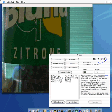
Record videoclips from any source
Capture Screenshots in Any Shape with Screenshot FX: Draw Shape & Capture Screen
Efficient Screen Capture Tool for Mac Users

Premium Screen Capture Application
A Robust Screen Recording Tool for Both Experts and Novices
Cool Tool for Media Users

Free screen capture tool with advanced annotation features