4.4
Free
HiPER Scientific Calculator
Free Scientific Calculator App For Advanced Mathematics


Safe & trusted downloads
The best software, verified by experts
Free-to-use scientific calculator app
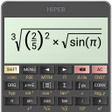
The Scientific Calculator (SciCal) app is a free utility from FirOZ LLC, allowing you to make calculations on the go. Beyond the standard calculator app, it allows you to access more advanced features such as natural display or trigonometric functions. In terms of interface, it looks like a standard Sci Cal, with minimalistic buttons sprawled across your touchscreen.
Designed for experienced Scientific Calculator users, this app doesn’t come with its own tutorial. Some users might find difficulties understanding what each button does, not to mention additional commands such as SHIFT or Scientific Constants. You can also check out FX-991MS Scientific Calculator.
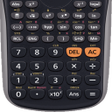
The Scientific Calculator app offers more operations than standard calculators. Apart from basic arithmetic such as addition and subtraction, you also gain access to exponential and logarithmic functions. You can even use trigonometric functions like Sine, Cosine, and Tangent, and their hyperbolic counterparts. As mentioned, the app tries to emulate an actual scientific calculator, owing to its minimalistic and color-coded designs.
One feature of the app is that it retains its natural display. This means that fractions are displayed as the numerator on top of the denominator, instead of automatically converting them to decimals. Aside from the visual convenience of seeing exponents in superscript, it also retains the stored value of an input or result of a previous operation. It is important for students of Science, Technology, Engineering, and Mathematics (STEM).
Unlike real-world scientific calculators that come with manuals, this one does not. It is convenient and straightforward, letting you copy equations by simply tapping its screen. However, it doesn't help new users to learn how it works. For example, the SHIFT button is used to access those orange-colored functions on top of every button. Similarly, there’s no list of what the numerical constants under CNST are.
If you’re one of those people who needs a SciCal close by, this Scientific Calculator app is a good place to start. It comes with most of the commonly used features and even throws in alternate functions and its own set of scientific constants. You can even use its display screen to instantly copy the display to your clipboard. The only challenge here is it lacks tutorials.
Free
Free Scientific Calculator App For Advanced Mathematics
Free
A free scientific calculator app

Free
How to Move SD Card Files to SD Card

Free
A free, versatile tool for mobile math
Free
A free program for Android, by BeshevGames.

Free
A free program for Android, by Sergey Solovyev.

Easily view device information

p2pCamViewer: A Plug-and-Play Android Client for Network Cameras

Premium and ad-free

ExaGear - Windows Emulator Tip

Robust Free VPN Solution for Android

A free app for Android, by IIEC.

Measure Your Internet Speed with Yandex Internetometer

Essential Translation Tool for Pokémon Fans

Streamlined Connection for Wearable Devices

Engaging Puzzle Challenge for All Skill Levels